
TiviMate Premium: Features, How to Buy and Is It Worth It?
This guide may contain affiliate links. If you buy through them we may earn a commission at no extra cost to you. As an Amazon Associate I earn from qualifying purchases. Learn more.
Lessons 19 of 19
Quick Overview: TiviMate Premium is the paid upgrade of the TiviMate IPTV player. It unlocks multiple playlists, recording, catch-up, multiview, parental controls and backups, and one Premium account covers up to 5 devices. It is sold as a yearly or lifetime plan. On Android TV you buy it through Google Play; on Fire TV and other devices without Google Play, you buy and manage it with the official TiviMate Companion app on an Android phone. This lesson shows what you get, how to buy it safely and whether it is worth it.
TiviMate is one of the most popular IPTV players for Android TV and Fire TV, and most people start with the free version. Sooner or later, though, you hit a locked feature: a second playlist, a recording, or catching up on a show you missed. That is where the paid upgrade comes in. In this lesson, you will see exactly what the free version does and does not include, how the Premium account works across devices, the two official ways to buy it, and how to decide whether you need it.
Good to know: Premium unlocks app features only. As the developer’s Google Play listing says, TiviMate supplies no channels; you still need a playlist from an IPTV provider, and that provider should be licensed to offer its channels.
TiviMate free vs TiviMate Premium
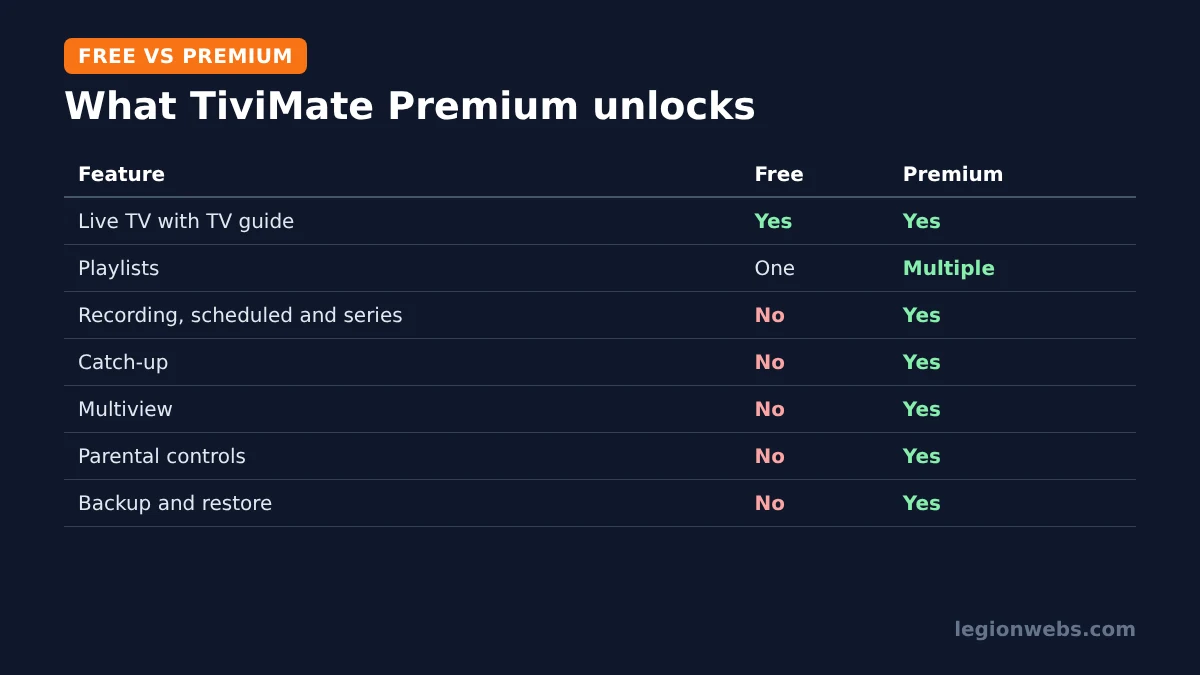
The free app is already a capable player: it shows your channels in a full TV guide and handles live TV smoothly. Premium adds the features that turn it into a full cable-box replacement.
| Feature | Free | TiviMate Premium |
|---|---|---|
| Live TV with TV guide (EPG) | Yes | Yes |
| Playlists | One | Multiple, with easy switching |
| Recording (including scheduled and series) | No | Yes |
| Catch-up (if your provider supports it) | No | Yes |
| Multiview (several channels at once) | No | Yes |
| Parental controls | No | Yes |
| Backup and restore of settings | No | Yes |
| Devices | Any | Up to 5 per Premium account |
Premium features explained
- Multiple playlists: add more than one provider, or a second login, and switch between them. Useful if you keep a backup service.
- Recording: record a programme straight from the guide, schedule recordings in advance, or record a whole series. You need enough storage; a USB drive helps on a Fire Stick.
- Catch-up: watch shows that already aired, on channels where your provider offers catch-up (often marked with a clock icon in the guide).
- Multiview: watch several channels on one screen, handy for sport.
- Parental controls: lock channels or groups with a PIN.
- Backups: save your playlists, favourites and settings, and restore them on a new device in minutes.
Of these, recording and catch-up are the features most people upgrade for. However, catch-up only works if your IPTV provider supports it, so check with them first.
How the Premium account works
Premium is tied to an account, not to one box. As a result, one Premium account can be activated on up to 5 devices, such as the living room Fire Stick, a bedroom TV and an Android TV box. You manage those activated devices in the official TiviMate Companion app, where you can remove an old device to free a slot for a new one.
TiviMate sells Premium as a yearly plan or a one-time lifetime plan. Prices have changed several times, so always check the current price inside the app or the Companion app rather than trusting older articles. For a household that plans to keep TiviMate for years, the lifetime option usually works out cheaper.
How to buy TiviMate Premium safely
There are two official routes, depending on your device. Both are run by the developer, Armobsoft FZE.
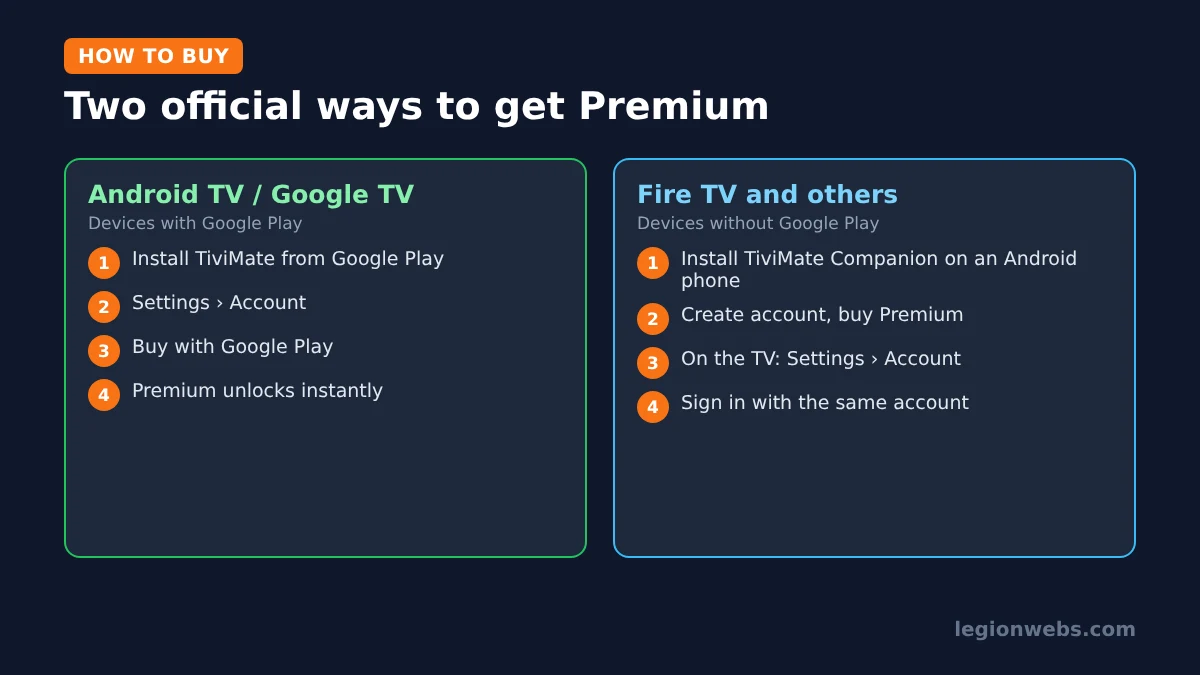
Route 1: Android TV and Google TV (devices with Google Play)
- Install TiviMate IPTV Player from Google Play on the TV.
- Open TiviMate and go to Settings > Account.
- Choose the Premium plan and complete the purchase with your Google Play account.
- Premium unlocks straight away on that device.
Route 2: Fire TV and other devices without Google Play
Fire TV does not use Google Play, so here you use the TiviMate Companion app, which its listing describes as the way to unlock Premium on devices without Google Play and manage your activated devices.
- On an Android phone, install TiviMate Companion from Google Play.
- Create your TiviMate account in the Companion app and buy the Premium plan there.
- On your Fire TV, open TiviMate and go to Settings > Account.
- Sign in with the same account. Premium unlocks on the Fire TV, and the device appears in your Companion app.
New to TiviMate on Fire TV? First follow TiviMate on Firestick to install it and add your playlist, then come back here to upgrade.
Avoid “free TiviMate Premium” and modded APKs
Search online and you will find “unlocked”, “free premium” and “lifetime cracked” downloads. Avoid all of them, for three reasons:
- Security: modified APKs can contain malware, and a streaming device sits on your home network.
- They break: modded copies often stop working after an update, taking your setup with them.
- No support: the developer cannot help with an account or app you did not get from them.
Similarly, watch out for look-alike apps on Google Play with names close to TiviMate’s. The official apps come from Armobsoft FZE.
Is TiviMate Premium worth it?
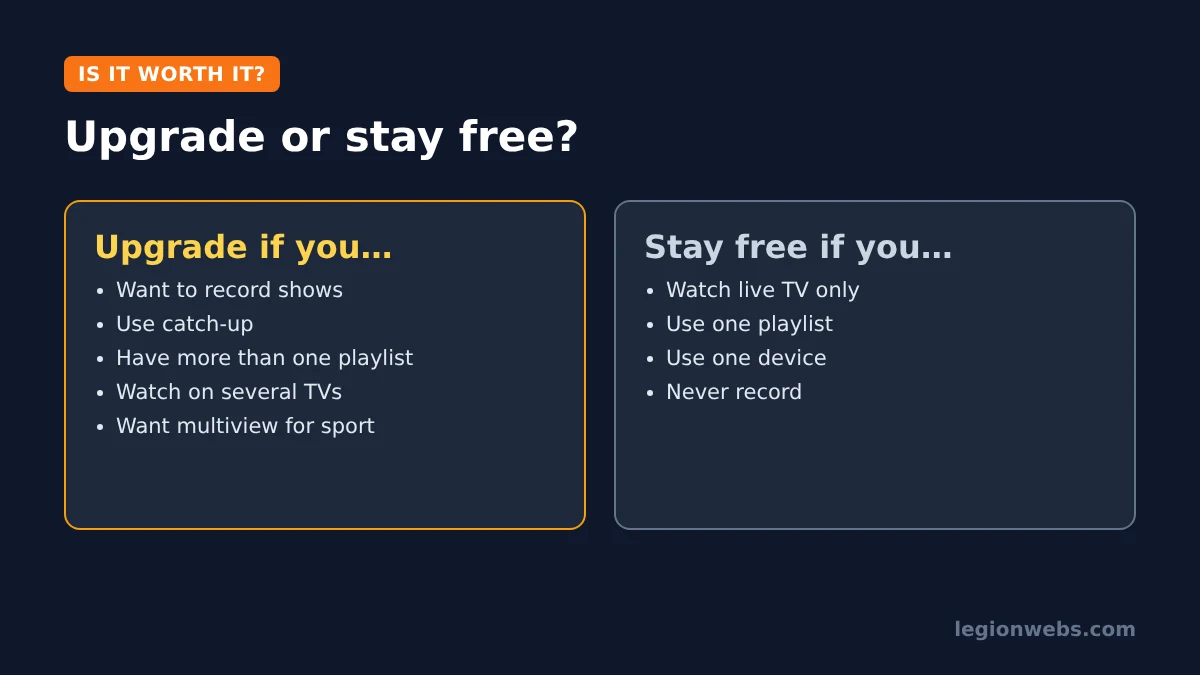
Upgrade if you want to record shows, use catch-up, run more than one playlist, watch several channels at once, or set up TiviMate on several TVs with one account. For most regular IPTV users, these features alone justify the price.
Stay on free if you watch live TV on one device with one playlist and never record. In that case, the free version’s TV guide is already excellent. Not sure TiviMate is for you at all? Compare it in TiviMate vs IPTV Smarters and best IPTV app for Fire Stick.
TiviMate Premium not working? Quick fixes
| Problem | Likely cause | Fix |
|---|---|---|
| Premium features still locked | Signed in with a different account | Settings > Account: sign out and sign in with the account you bought with |
| “Device limit reached” | Already 5 devices active | Remove an old device in the TiviMate Companion app |
| Catch-up option missing | Provider does not offer catch-up on that channel | Ask your provider which channels support catch-up |
| Recording fails | Not enough storage | Free space or add a USB drive; see Fire Stick storage full |
| Premium lost after reinstall | Not signed in again | Sign in under Settings > Account and restore your backup |
For playlist, guide and playback problems, see TiviMate not working.
TiviMate Premium: FAQ
How many devices does one Premium account cover?
One Premium account can be activated on up to 5 devices. You manage them in the TiviMate Companion app.
How much does TiviMate Premium cost?
It is sold as a yearly or lifetime plan, and the price has changed over time. Check the current price under Settings > Account in TiviMate or in the Companion app.
Can I buy TiviMate Premium on a Fire Stick?
You buy it with the TiviMate Companion app on an Android phone, then sign in with the same account on your Fire Stick.
Does TiviMate Premium include channels?
No. Premium unlocks app features only. Channels come from your IPTV provider’s playlist.
Is TiviMate on iPhone or Apple TV?
No. TiviMate is made for Android TV devices. On Apple devices, see IPTV on Apple TV for alternatives.
What’s next
- TiviMate on Firestick: install TiviMate and add your playlist.
- TiviMate not working: fixes by symptom.
- How to add EPG to IPTV: get the full TV guide working.
- TiviMate vs IPTV Smarters: which player suits you better.
Free download
Firestick + IPTV Setup Checklist
Two printable pages: install, login, the settings that make it faster and quick fixes for buffering and an empty guide.
We'll send occasional new guides. No spam, unsubscribe any time. Privacy