
How to Add EPG to IPTV: TV Guide Setup for Any Player (2026)
This guide may contain affiliate links. If you buy through them we may earn a commission at no extra cost to you. As an Amazon Associate I earn from qualifying purchases. Learn more.
Lessons 8 of 13
Quick Overview: To add EPG to IPTV, you give your player a TV guide link (an XMLTV address) from your provider, then let it download the listings. With Xtream Codes this usually happens automatically; with an M3U playlist you often add the link yourself. This lesson shows where to find the link, how to add it in the popular players, and how to fix a guide that stays empty.
EPG stands for Electronic Program Guide. In other words, it is the grid that shows what is on now and what comes next on each channel, just like a cable TV guide. Without it, you only see channel names. However, with it, you can browse, set reminders and, in some players, record or use catch-up. Fortunately, adding it takes only a few minutes.
What you need
- An IPTV player such as TiviMate, IPTV Smarters Pro or OTT Navigator
- Your IPTV login, ideally Xtream Codes details (see M3U vs Xtream Codes)
- The EPG link from your provider, if you use an M3U playlist
Step 1: Find the EPG link to add to IPTV
Your provider’s TV guide uses the XMLTV format, a standard file of TV listings. You can usually find the link in one of three places:
- In the welcome email, next to your M3U link (look for “EPG” or “XMLTV”).
- In your account area on the provider’s website.
- Built from your login. On many Xtream-based services it follows this pattern:
http://server.example:8080/xmltv.php?username=YOURNAME&password=YOURPASS
Otherwise, if you cannot find it, simply ask your provider for “the EPG URL”. It is a normal request.
Step 2: Add EPG to IPTV players (TiviMate, Smarters, OTT Navigator)
Menu names change a little between versions, but the idea is always the same: find the EPG or TV guide setting, then add or reload the source.
| Player | With Xtream Codes | With an M3U playlist |
|---|---|---|
| TiviMate | Loads automatically | Settings → EPG → add an EPG source, paste the link |
| IPTV Smarters Pro | Loads automatically; use the EPG or “Install EPG” option to refresh | Paste the EPG link when you add the playlist, if offered |
| OTT Navigator | Loads automatically; check with Settings → EPG → Reload | Settings → Provider → Parameters → EPG |
| Smart IPTV | Not used | Add the link in the EPG field on the siptv.app mylist page |
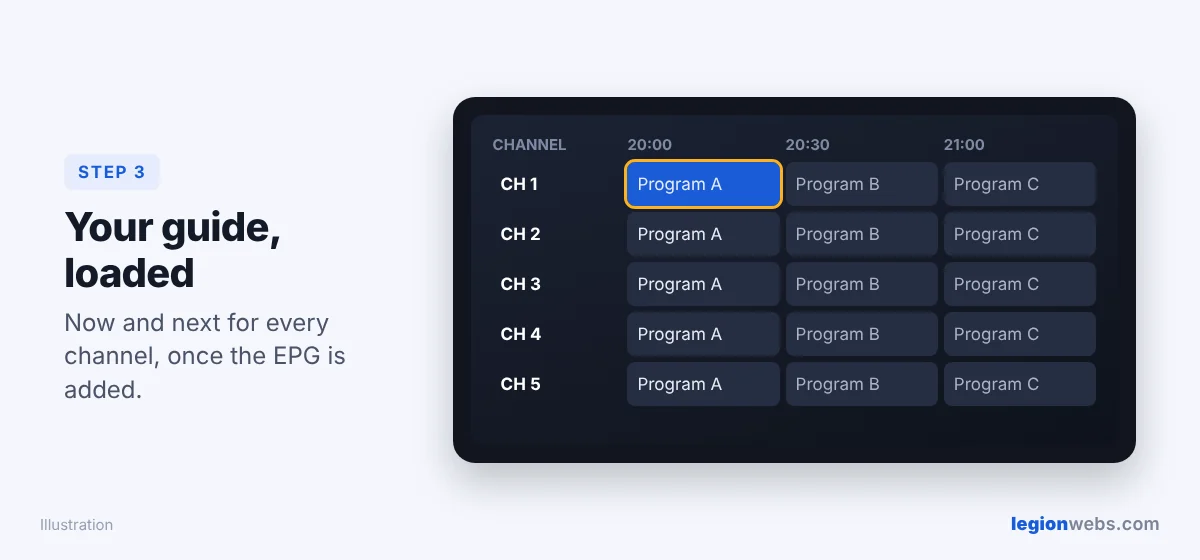
Step 3: Load the guide after you add EPG to IPTV
After you add the link, the player downloads the listings. For a big service, this can take a minute or two, so be patient. Meanwhile, keep the app open. Then open the TV guide view and check a few channels you know well.
Step 4: Set the update interval and time shift
- Update interval: once every 24 hours is enough for most people, because more often only slows down your device.
- Time shift: if every program is off by exactly one or more hours, use the player’s EPG time offset setting to correct it.
- Days to keep: in addition, fewer days of past listings means less storage and a faster guide.
Troubleshooting: EPG not showing in IPTV
| Problem | Fix |
|---|---|
| The guide is completely empty | First, reload the EPG, then restart the app. Also, check the link works by opening it in a browser on your phone; it should download a file. |
| Some channels have no listings | The provider has no guide data for them, or the channel IDs do not match. Therefore, ask the provider, or assign the channel manually if your player allows it. |
| Times are off by one hour | Adjust the EPG time shift (Step 4), and check your Fire TV time zone in Settings → Preferences. |
| The guide disappears after a day | In that case, turn on automatic EPG updates. |
| The app becomes slow after adding the guide | Instead, keep fewer days of listings and clear the app cache. See how to clear cache on Firestick. |
Most IPTV providers send an EPG link together with your login details. The device setup guides on 8K IPTV Group show where to paste it in each popular player.
Frequently Asked Questions
Do I need to add EPG to IPTV with Xtream Codes?
Usually not, because players fetch the guide from the server automatically. Just reload the EPG if it looks empty.
Can I add a free EPG source to IPTV?
Yes, public XMLTV sources exist. However, the channel names must match your playlist, so your provider’s own EPG almost always works better.
Why is my TV guide missing the program pictures?
Unfortunately, many EPG sources only include titles and times. As a result, pictures and descriptions depend on the provider’s data.
Is EPG the same as catch-up?
No. EPG is the schedule. In contrast, catch-up lets you replay past programs, and it only works when your service supports it.
What’s next
You now know how to add EPG to IPTV in any player. For the best guide experience on Fire TV, see TiviMate on Firestick. If channels stutter, follow How to Fix IPTV Buffering on Firestick.