
M3U vs Xtream Codes: What’s the Difference? (IPTV Basics 2026)
This guide may contain affiliate links. If you buy through them we may earn a commission at no extra cost to you. As an Amazon Associate I earn from qualifying purchases. Learn more.
Lessons 5 of 5
Quick Overview: M3U vs Xtream Codes is the first choice you make when you add an IPTV subscription to a player. Both log you in to the same service. However, Xtream Codes loads live TV, movies, series and the TV guide automatically, while an M3U link is one long playlist address. This lesson explains the difference in plain words and shows which one to pick.
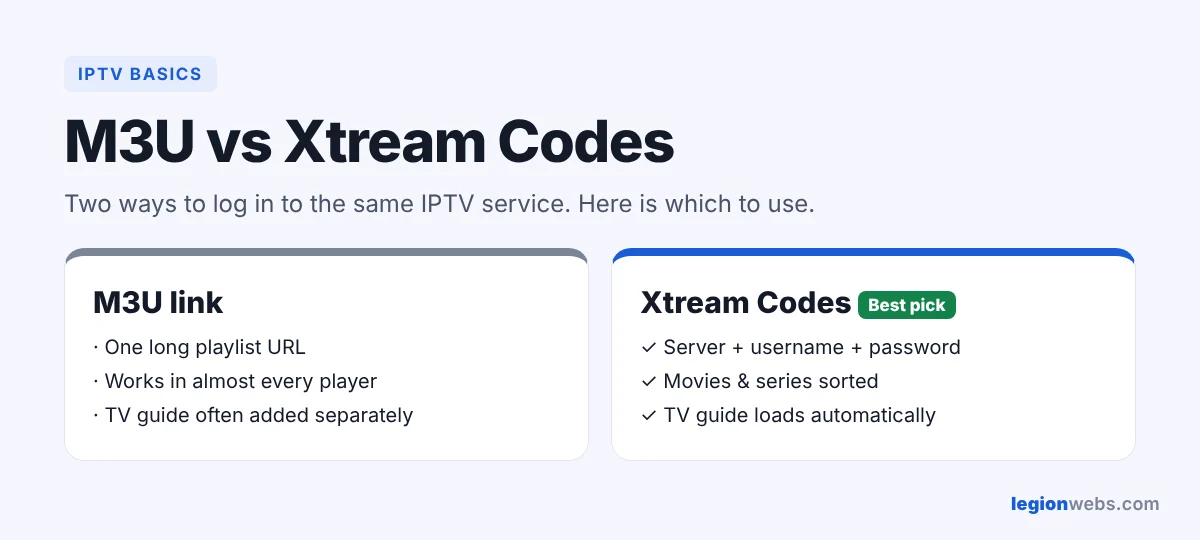
When you sign up for an IPTV service, you usually get an email with login details. Often it contains both an M3U link and Xtream Codes details (a server address, username and password). Players such as TiviMate and IPTV Smarters Pro accept both. So which one should you use? First, let’s see what each one actually is.
What is an M3U playlist?
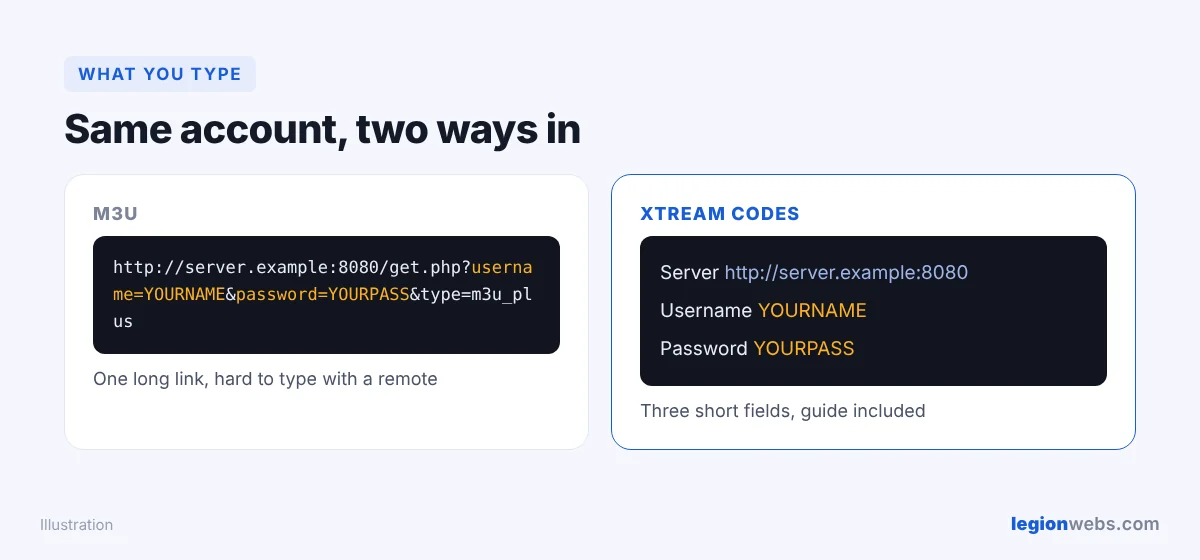
An M3U file is a simple text list of channels (the format began as a music playlist format). Each line has a channel name, a logo and the address of its stream. Your provider gives you a link to this list, and your player downloads it. For example, an M3U link often looks like this:
http://server.example:8080/get.php?username=YOURNAME&password=YOURPASS&type=m3u_plus
Because it is just a list, almost every player in the world can open it, including VLC and smart TV apps. On the other hand, the TV guide is a separate link that you often add yourself.
What is Xtream Codes?
Xtream Codes (also called Xtream API or XC login) is a way for a player to talk to the provider’s server directly. Instead of one long link, you enter three short details:
- Server URL, for example
http://server.example:8080 - Username
- Password
As a result, the player can ask the server for exactly what it needs: live channels, the movie and series library, catch-up and the TV guide. Everything arrives sorted into categories, with posters and descriptions.
M3U vs Xtream Codes: side-by-side comparison
| M3U link | Xtream Codes | |
|---|---|---|
| What you enter | One long URL | Server, username, password |
| TV guide (EPG) | Often added separately | Loads automatically |
| Movies and series | Mixed into one long list | Separate sections with posters |
| Catch-up | Limited | Supported when the service offers it |
| Updates | Player reloads the whole list | Player asks only for what changed |
| Works with | Almost every player | Most modern players |
M3U or Xtream Codes: which should you use?
- Use Xtream Codes whenever your player supports it. It is easier to type with a remote, the TV guide works out of the box, and movies and series look much better.
- Use M3U when the player only accepts playlists, for example Smart IPTV on a smart TV, or when you want to test a link quickly in VLC.
In short, Xtream Codes is the better everyday choice, while M3U is the universal backup.
How to turn an M3U link into Xtream Codes details
If you only received an M3U link, you can usually read the Xtream Codes details from it:
- Server URL: everything before
/get.php, for examplehttp://server.example:8080. - Username: the text after
username=. - Password: the text after
password=.
This works for most services built on the Xtream system. If the login fails, ask your provider for the correct details instead of guessing.
Keep your login private
Both an M3U link and Xtream Codes details contain your username and password. Therefore, treat them like a password: do not post them in forums or share screenshots of them. Also, only use services that have the rights to the channels they offer.
Troubleshooting M3U and Xtream Codes logins
| Problem | Fix |
|---|---|
| “Invalid login” with Xtream Codes | Check the server URL includes http:// and the port number. Then retype the username and password; they are case-sensitive. |
| M3U loads but there is no TV guide | Add the guide link from your provider. See how to add EPG to IPTV. |
| The M3U playlist takes ages to load | Large lists are slow. Switch to Xtream Codes if your player supports it. |
| Movies and series are missing | Some M3U links only include live TV. Use Xtream Codes, or ask for an M3U link that includes video on demand. |
Frequently Asked Questions
Is Xtream Codes better than M3U?
For most people, yes. It loads faster, sorts content better and includes the TV guide. M3U is still useful for players that do not support Xtream Codes.
Can I use M3U and Xtream Codes at the same time?
They are two doors to the same account. Using both at once usually counts as two connections, so check how many your plan allows.
What does m3u_plus mean in my link?
It tells the server to send the extended playlist format, which includes channel groups and logos. Keep it as your provider sent it.
Is Xtream Codes an IPTV service?
No. It is only a login method used by many providers. The channels come from your IPTV service, not from Xtream Codes.
What’s next
Now that you know the difference between M3U vs Xtream Codes, add your login to a player. Compare them in Best IPTV App for Fire Stick, then set up your TV guide with How to Add EPG to IPTV. Need a service to test? Try a free IPTV trial.