
How to Watch IPTV on VLC (Windows, Mac and Phone)
This guide may contain affiliate links. If you buy through them we may earn a commission at no extra cost to you. As an Amazon Associate I earn from qualifying purchases. Learn more.
Lessons 13 of 13
Quick Overview: To watch IPTV on VLC, open VLC on your computer, choose Media → Open Network Stream (on Mac: File → Open Network), paste your M3U link and press Play. Best of all, it is free and takes one minute. This lesson covers Windows, Mac and phones, how to browse channels in the playlist view, and when a dedicated IPTV player is the better choice.
Simply put, VLC is a free, open-source media player that plays almost any video format, including IPTV playlists. For example, it is perfect for watching on a laptop or for testing whether a link works. However, it has no TV guide grid, so for daily TV watching a player like TiviMate is more comfortable.
What you need
- VLC, downloaded only from the official site videolan.org or your app store
- Your M3U playlist link or .m3u file from your IPTV service (see M3U vs Xtream Codes)
- A licensed IPTV subscription, for example a free IPTV trial to test
How to watch IPTV on VLC for Windows
- First, open VLC.
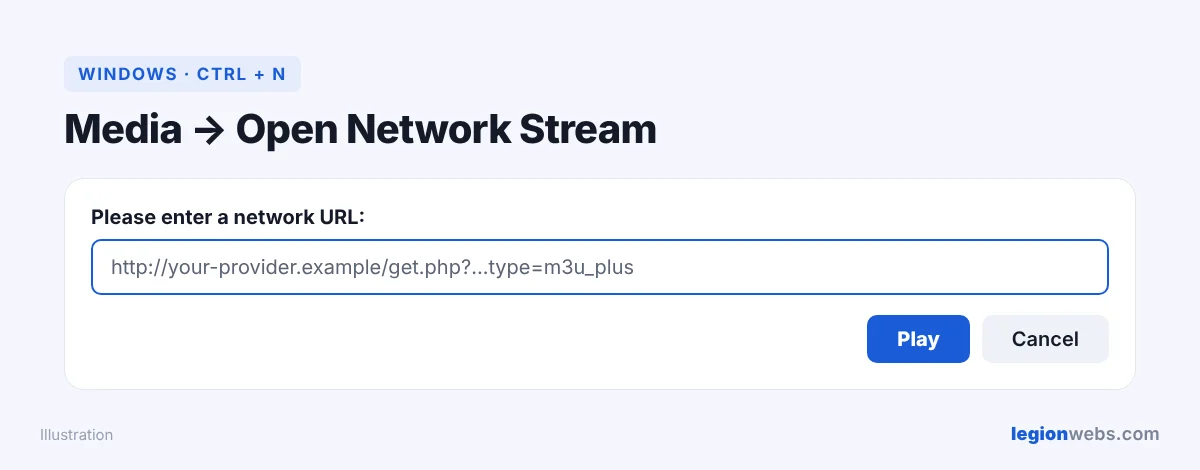
- Then click Media → Open Network Stream, or press Ctrl + N.
- Next, paste your M3U link into the box.
- Finally, click Play. The first channel starts after a few seconds.
How to watch IPTV on VLC for Mac
- First, open VLC.
- Then click File → Open Network.
- After that, paste the M3U link into the URL field.
- Finally, click Open.
Browse channels in the playlist view
Once the first channel plays, open the playlist to see all channels. On Windows, press Ctrl + L; on Mac, use Window → Playlist. Next, use the search box to find a channel by name, and then double-click it to play. Also, if your provider gave you a .m3u file instead of a link, simply open that file with VLC.
IPTV on VLC for Android and iPhone
- Android: open VLC, tap More → New stream (or Stream), paste the link and tap the play arrow.
- iPhone and iPad: open VLC, tap Network → Open Network Stream, paste the link and tap Open Network Stream.
When VLC is not the best choice
| Need | VLC | Better option |
|---|---|---|
| Quick test of a link | Excellent | — |
| TV guide grid (EPG) | No | TiviMate |
| Movies and series library | Basic list only | IPTV Smarters |
| Watching on the TV with a remote | Awkward | Fire TV + IPTV player |
IPTV on VLC: troubleshooting
| Problem | Fix |
|---|---|
| “Your input can’t be opened” | First, check the link is complete, with no spaces. Then make sure your subscription is active. |
| Channel plays in VLC but not in your TV app | In this case the stream works, so the problem is the app. See IPTV Smarters not working. |
| Stutters or freezes | Use a cable or 5 GHz Wi-Fi. In addition, close other downloads. |
| Huge playlist loads slowly | That is normal in VLC. Therefore, for daily use, switch to a dedicated player. |
Frequently Asked Questions
Is VLC free for IPTV?
Yes. VLC is completely free and open source. As a result, you only pay for your IPTV service.
Can VLC use Xtream Codes logins?
Not directly. Instead, ask your provider for the M3U link, or build it from your Xtream details as shown in M3U vs Xtream Codes.
Does IPTV on VLC show a TV guide?
No. VLC shows a channel list but no program grid. So for a TV guide, use a player that supports EPG.
What’s next
Now you can watch IPTV on VLC on any computer or phone. For the TV, set up a real player with IPTV on Firestick, or compare players in Best IPTV App for Fire Stick.