
IPVanish vs Surfshark: Which Unlimited-Device VPN Is Better?
This guide may contain affiliate links. If you buy through them we may earn a commission at no extra cost to you. As an Amazon Associate I earn from qualifying purchases. Learn more.
Lessons 15 of 15
Quick Overview: IPVanish vs Surfshark is the match-up of the two big VPNs with unlimited devices on one plan. Surfshark wins on network size, extras (MultiHop, RAM-only servers, a dedicated IP option) and long-distance speed, while IPVanish wins on simple Fire TV setup with a free kill switch app, SOCKS5 proxy access and phone support. Both have Fire TV apps, WireGuard, audited no-logs policies and a 30-day money-back guarantee. For most streaming homes, Surfshark is the stronger all-rounder; IPVanish suits Fire TV users who want a kill switch on the stick.
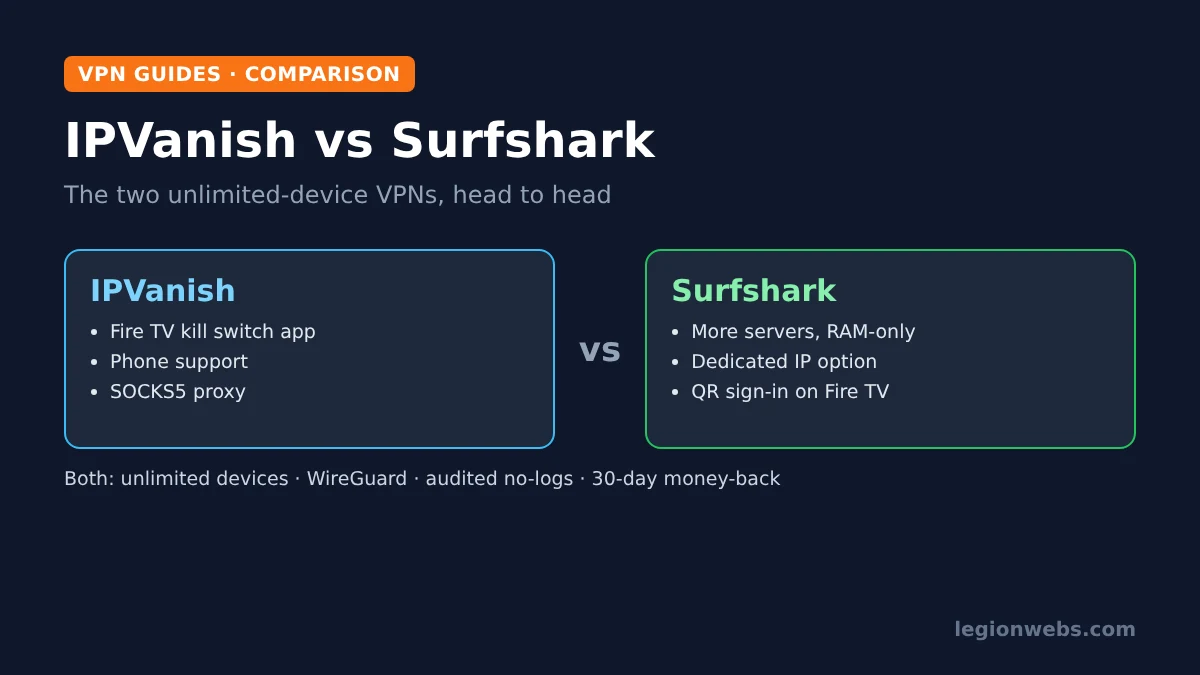
If your home has more than ten screens, most VPNs force you to choose which devices stay protected. IPVanish and Surfshark are the two well-known exceptions, because neither sets a device limit. That makes them natural rivals for families, shared houses and anyone with several Fire Sticks. In this lesson, we compare them round by round on the things that matter on a TV: apps, speed, privacy, extras, price terms and support, using each provider’s own pages and recent independent tests.
Disclosure: Legion Webs is an IPVanish affiliate and may earn a commission if you sign up through our IPVanish links, at no extra cost to you. We have no affiliate relationship with Surfshark, and our Surfshark links go to its official site.
IPVanish vs Surfshark at a glance
| Feature | IPVanish | Surfshark |
|---|---|---|
| Devices per plan | Unlimited | Unlimited |
| Fire TV app | Yes, Amazon Appstore | Yes, Amazon Appstore |
| Fire TV sign-in | Email and password | QR code, login code or email |
| Kill switch on Fire TV | Free companion app | Check in the app |
| Servers | 3,200+ in 113+ countries | 4,500+ in 100+ countries |
| Headquarters | United States | The Netherlands |
| No-logs audits | Yes (2022 and 2025) | Yes (Deloitte) |
| RAM-only servers | No | Yes |
| Split tunneling | Yes | Bypasser |
| Ad and tracker blocker | Threat Protection | CleanWeb |
| Extras | SOCKS5 proxy, Scramble | MultiHop, dedicated IP, rotating IP |
| Money-back guarantee | 30 days (1- and 2-year plans) | 30 days |
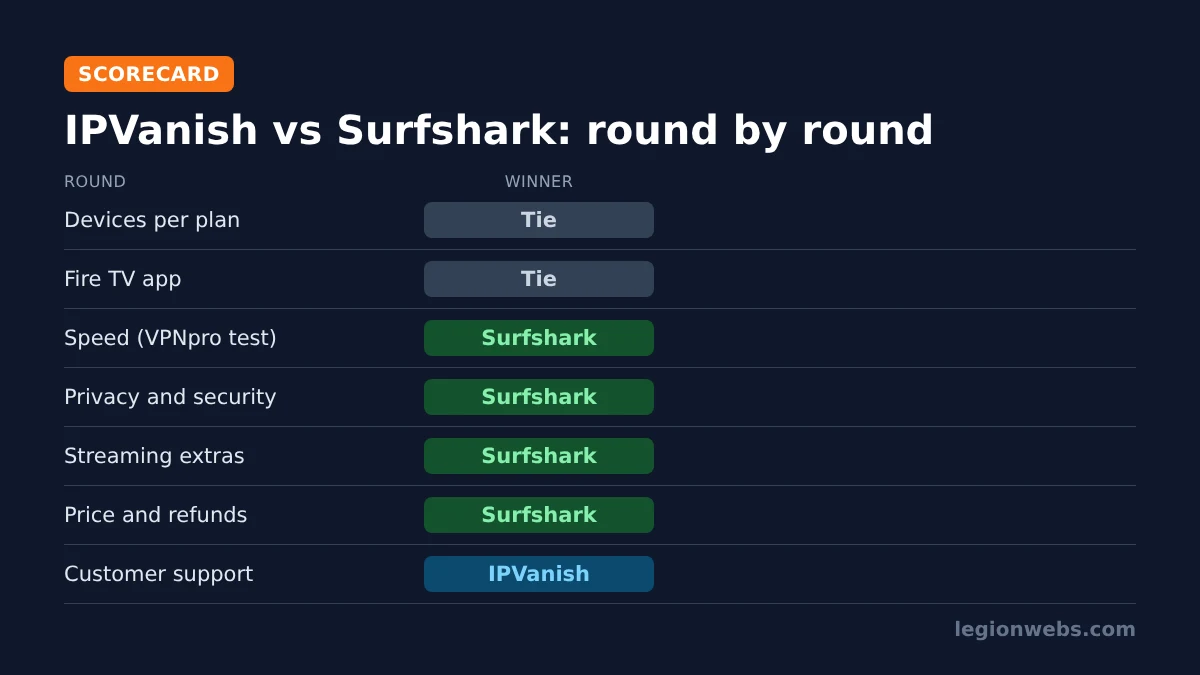
Devices per plan: a draw
This is exactly why the two end up on the same shortlist. In fact, both let you connect as many devices as you like on one subscription. As a result, a house with four Fire Sticks, five phones, two laptops and a tablet is covered either way. IPVanish’s terms do allow it to limit use to keep the service fair, but for a normal household this never comes up.
Round winner: tie.
IPVanish vs Surfshark on Fire TV
First, both install straight from the Amazon Appstore, so there is no Downloader or sideloading involved. However, the experience differs in two ways.
- Sign-in: according to Surfshark’s Fire TV guide, you can scan a QR code, enter a login code from the phone app, or type your email. IPVanish, by contrast, asks for your email and password with the remote.
- Kill switch: IPVanish offers a free IPVanish VPN Kill Switch companion app for Fire OS, which blocks traffic if the VPN drops. Surfshark’s Fire TV guide does not mention a kill switch, so check the app’s settings on your stick. Learn more in our VPN kill switch lesson.
Either way, setup takes about ten minutes. For example, for IPVanish, our IPVanish on Firestick lesson walks through every step, including the kill switch app.
Round winner: tie. Surfshark signs in more easily, whereas IPVanish has the confirmed Fire TV kill switch.
Speed and protocols
To begin with, both use WireGuard for their fastest connections and keep OpenVPN and IKEv2 as fallbacks. In VPNpro’s April 2026 tests, Surfshark averaged 467.9 Mbps download against 414.4 Mbps for IPVanish. The bigger gap was on a distant server: from their test location to Singapore, Surfshark held 459 Mbps while IPVanish dropped to 5 Mbps.
Still, for streaming at home, both are far above the 15 Mbps that 4K needs, so you will rarely notice the average difference. However, long-distance connections are another story, and there Surfshark was clearly ahead in this test. Of course, speeds vary by location and time, so treat one test as a guide, not a guarantee. Our does a VPN slow down internet lesson explains how to test your own.
Round winner: Surfshark.
Privacy and security
To begin, both run no-logs policies checked by independent auditors: IPVanish by Leviathan Security Group in 2022 and Schellman in 2025, and Surfshark by Deloitte. On top of that, Surfshark adds RAM-only servers, which wipe data on every restart, and a MultiHop option that routes traffic through two servers.
Jurisdiction differs as well. IPVanish is based in the United States, part of the Five Eyes alliance, while Surfshark is based in the Netherlands, part of the Nine Eyes. Admittedly, neither is a privacy haven, but because both keep no activity logs, this matters less for everyday streaming than the audits do.
Round winner: Surfshark, for RAM-only servers and MultiHop.
Streaming extras

- Split tunneling: IPVanish calls it split tunneling, Surfshark calls it Bypasser. Both let an IPTV player or a VPN-blocking app use your normal connection.
- Ad blocking: IPVanish’s Threat Protection and Surfshark’s CleanWeb both block ads, trackers and harmful sites.
- Dedicated IP: Surfshark offers one, which helps if an IPTV provider locks your account to one IP address. IPVanish does not offer dedicated IPs, according to VPNAlert.
- Only on IPVanish: a SOCKS5 proxy (handy for some download apps) and phone support.
- Only on Surfshark: MultiHop, rotating IP and optional antivirus on higher tiers.
Round winner: Surfshark, mainly for the dedicated IP option.
IPVanish vs Surfshark: price and refunds
Generally, both are cheapest on long plans and run frequent deals, so the gap changes month to month. Check the current offer on IPVanish’s deal page and Surfshark’s website before you decide.
On the other hand, the refund terms differ. Surfshark gives a 30-day money-back guarantee. IPVanish also gives 30 days, but only on one- and two-year plans; monthly plans are not refundable. Consequently, to test IPVanish risk-free, pick a yearly plan and cancel within 30 days if it does not suit you.
Round winner: Surfshark, for the simpler refund terms.
Customer support
To start with, both offer 24/7 live chat and large help centres with TV and router guides. In addition, IPVanish offers phone support, which some people prefer when a TV app will not connect. For most Fire Stick problems, though, the fixes in VPN not working on Firestick are faster: switch protocol, change server or restart the stick.
Round winner: IPVanish.
Apps for the rest of your devices
| Platform | IPVanish | Surfshark |
|---|---|---|
| Windows, macOS, Linux | Yes | Yes |
| iPhone, iPad, Android | Yes | Yes |
| Fire TV, Android TV | Yes | Yes |
| Browser extensions | Chrome, Firefox, Edge | Chrome, Firefox, Edge, Brave, Opera |
| Routers | Manual setup | Manual setup |
| Samsung, LG, Roku TVs | Router | Router or SmartDNS |
For TVs that cannot run VPN apps, see VPN on smart TV, and for Roku specifically, our IPTV on Roku lesson.
IPVanish vs Surfshark for IPTV
First of all, both work with IPTV players such as TiviMate and IPTV Smarters Pro. Connect the VPN first, and then open the player. Also, if your provider blocks VPN servers, use split tunneling (or Bypasser) for the player. Alternatively, if your provider locks your account to one IP address, Surfshark’s dedicated IP keeps your address the same. For more details, see VPN for IPTV. As always, a VPN protects your privacy; it does not make an unlicensed service legal, so only use licensed IPTV providers.
Setting them up on a Fire Stick: side by side
Because most of our readers watch on Fire TV, here is how the first few minutes compare. In both cases, you simply install from the Amazon Appstore.
| Step | IPVanish | Surfshark |
|---|---|---|
| 1. Install | Find > Search > IPVanish > Get | Find > Search > Surfshark > Get |
| 2. Sign in | Email and password with the remote | QR code, login code or email |
| 3. Allow the VPN | Accept the Fire TV connection request | Accept the Fire TV connection request |
| 4. Connect | Quick connect or choose a country | Fastest recommended location or search a country |
| 5. Extra protection | Install the free Kill Switch companion app | Check the app’s settings for protection options |
Once set up, both apps run quietly in the background while you watch. Therefore, day to day, you will rarely notice which one you chose; the differences show up in extras, long-distance speed and refund terms.
Three questions that decide it
- Do you connect to servers far away? If you often use servers on another continent, Surfshark’s stronger long-distance results in VPNpro’s test make it the safer pick.
- Do you need a kill switch on your Fire Stick? If yes, IPVanish’s free companion app is a proven option; with Surfshark, check what your app version offers first.
- Does your IPTV provider lock you to one IP address? If so, Surfshark’s dedicated IP option solves it, while IPVanish has no dedicated IPs.
Still undecided? In that case, pick the one with the better deal today and use the 30-day guarantee (on a yearly plan for IPVanish) to test it on your own Fire Stick, at peak time, with your own streaming apps. Real results on your connection beat any comparison table.
IPVanish vs Surfshark: which should you choose?
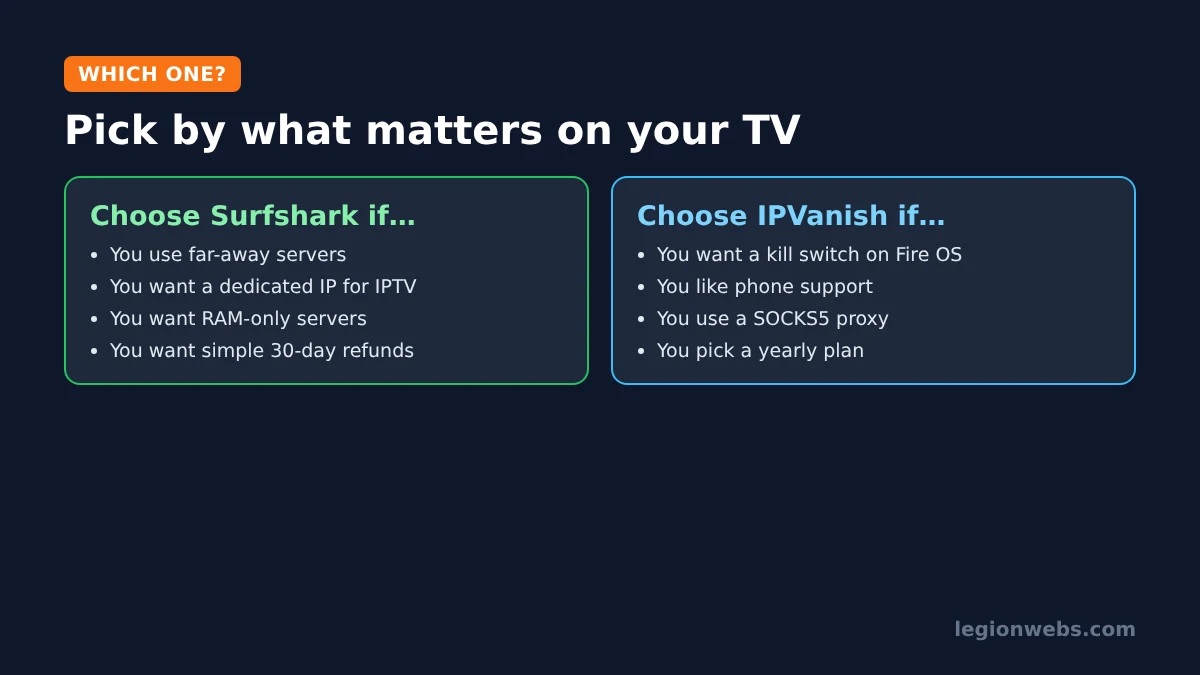
Choose Surfshark if you want the bigger network, the better long-distance speed in recent tests, RAM-only servers, a dedicated IP option for IPTV and simple 30-day refunds. Overall, it wins more rounds. Visit Surfshark’s official site for current plans.
Choose IPVanish if you mainly stream on Fire Sticks and want a proven kill switch app on the stick, phone support, or a SOCKS5 proxy. Get IPVanish here, on a yearly plan if you want the 30-day refund.
Finally, if you do not need unlimited devices, also consider NordVPN: see NordVPN vs IPVanish and NordVPN vs Surfshark.
IPVanish vs Surfshark: FAQ
Is Surfshark better than IPVanish?
For most people, yes, because it has more servers, more privacy extras and better long-distance speed in recent tests. IPVanish is better for a confirmed Fire TV kill switch and phone support.
Do both allow unlimited devices?
Yes. In other words, neither sets a fixed device limit on one subscription.
Which is easier to set up on a Fire Stick?
Surfshark, slightly, because you can sign in with a QR code instead of typing. Both install from the Amazon Appstore in about ten minutes.
Which has the better refund policy?
Surfshark, since its 30-day guarantee is simpler. IPVanish refunds only one- and two-year plans.
Are IPVanish and Surfshark good for IPTV?
Yes. Both work with popular IPTV players, and, moreover, both offer split tunneling for providers that block VPNs.
What’s next
- Best VPN for Firestick: five VPNs compared for Fire TV.
- IPVanish on Firestick: setup and kill switch.
- NordVPN vs Surfshark: the other Surfshark match-up.
- VPN for IPTV: when a VPN helps IPTV streams.
Free download
Firestick + IPTV Setup Checklist
Two printable pages: install, login, the settings that make it faster and quick fixes for buffering and an empty guide.
We'll send occasional new guides. No spam, unsubscribe any time. Privacy