
Hostinger vs Bluehost: Which WordPress Host Is Better? (2026)
This guide may contain affiliate links. If you buy through them we may earn a commission at no extra cost to you. As an Amazon Associate I earn from qualifying purchases. Learn more.
Lessons 14 of 14
Quick Overview: In the Hostinger vs Bluehost choice, both are solid beginner hosts and both are on WordPress.org’s list of recommended hosts. Pick Hostinger if you want LiteSpeed servers, the simple hPanel, mailboxes included and daily backups on its mid plan, especially if your visitors are outside the US. Pick Bluehost if you want to run many small sites on one entry plan or prefer a US data center. Both offer a free domain for the first year, free SSL and a 30-day money-back guarantee.
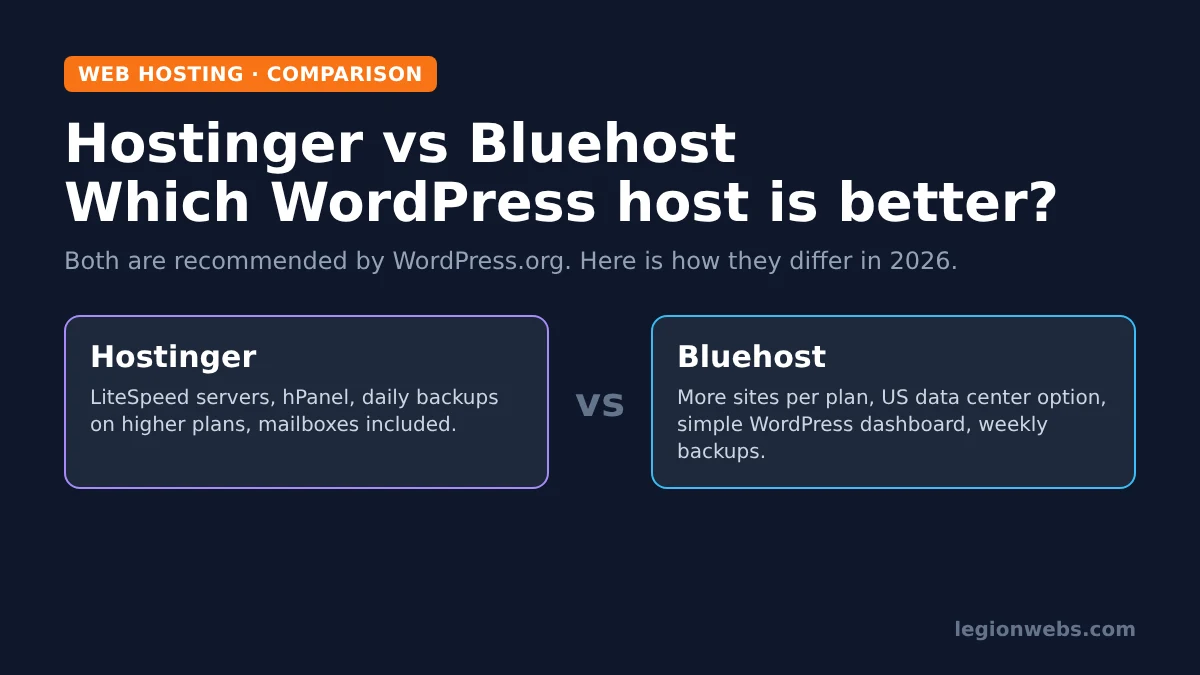
Hostinger and Bluehost are two of the most popular hosts for first WordPress sites. In fact, WordPress.org’s hosting page lists both of them as recommended hosts. Because of that, the choice is less about “good vs bad” and more about which one fits your site, your audience and your budget.
In this lesson, we compare their WordPress plans feature by feature, using each host’s own plan pages as the source. We also explain where each one is stronger, so you can decide in a few minutes.
Transparency note: Legion Webs runs on Hostinger, and we earn a commission if you sign up through our Hostinger link. We do not have a Bluehost partnership. We have kept the comparison to facts from both hosts’ pages, so you can judge for yourself.
Hostinger vs Bluehost: the short verdict
| If you… | Choose | Why |
|---|---|---|
| Have visitors outside the US | Hostinger | Data centres in several regions and a built-in CDN |
| Want daily backups without paying extra | Hostinger Unlimited or higher | Daily backups with easy restore are included |
| Want business email included | Hostinger | Mailboxes free for the first year on WordPress plans |
| Want many small sites on an entry plan | Bluehost Starter | 10 websites on the entry plan |
| Have a mainly US audience | Bluehost | US data centres can be chosen at checkout |
| Want the simplest start | Either | Both install WordPress for you and guide setup |
Hostinger vs Bluehost plans compared
To begin with, both hosts sell several WordPress plans. The entry plans are what most beginners buy, so we start there.
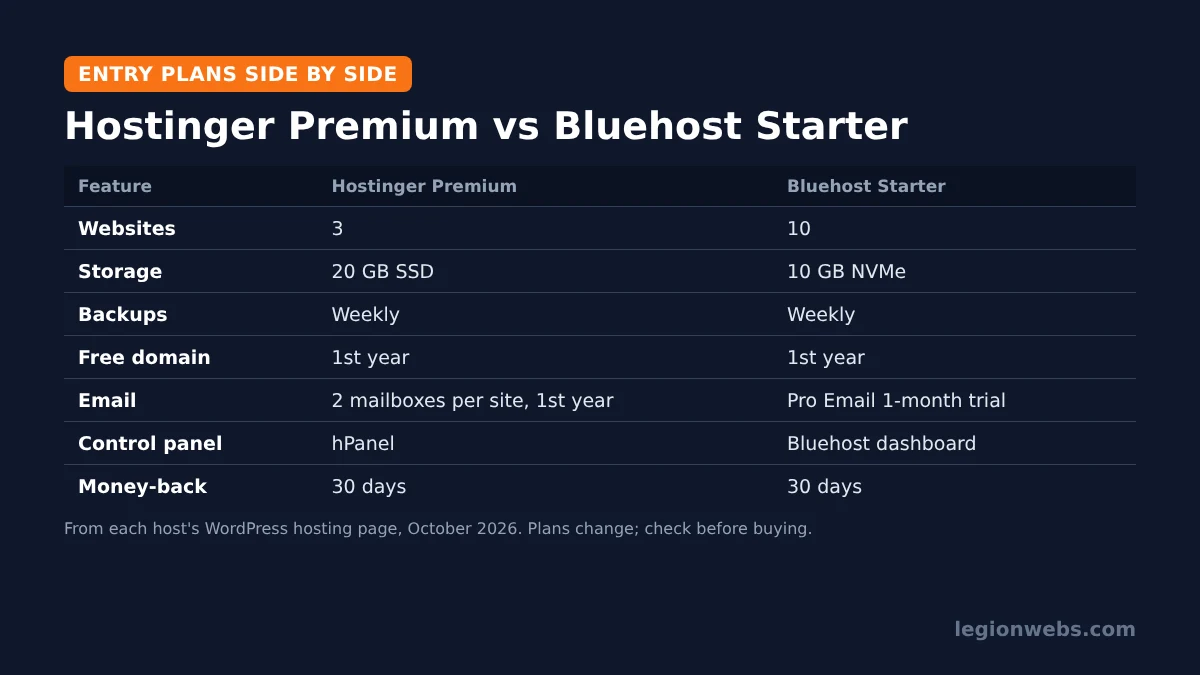
| Feature | Hostinger Premium | Hostinger Unlimited | Bluehost Starter | Bluehost Business |
|---|---|---|---|---|
| Websites | 3 | Unlimited | 10 | 50 |
| Storage | 20 GB SSD | 50 GB NVMe | 10 GB NVMe | 50 GB NVMe |
| Backups | Weekly | Daily, easy restore | Weekly | Weekly |
| Free domain | 1st year | 1st year | 1st year | 1st year |
| 2 mailboxes per site, free 1st year | Unlimited mailboxes, free 1st year | Pro Email 1-month trial | Pro Email 1-month trial | |
| SSL | Free | Free | Free (Let’s Encrypt) | Free (Let’s Encrypt) |
| CDN | Included | Included | Free CDN | Free CDN |
| Money-back guarantee | 30 days | 30 days | 30 days | 30 days |
As the table shows, the entry plans trade off differently. Bluehost Starter allows more websites, while Hostinger Premium gives more storage and includes mailboxes. On the mid plans, Hostinger’s daily backups are the main difference.
Speed and server technology
Hostinger runs its WordPress plans on LiteSpeed web servers. LiteSpeed works with the free LiteSpeed Cache plugin, which handles page caching and image optimisation in one place. As a result, a Hostinger site can be made fast without paying for extra speed tools.
Bluehost uses NVMe SSD storage on all its WordPress plans and includes a free CDN. In practice, both hosts are fast enough for a typical small business site or blog. Real-world speed depends more on your theme, plugins and image sizes than on the host. Therefore, follow the speed tips in our lesson on how to make a WordPress website whichever host you choose.
Ease of use and control panel
Hostinger uses its own control panel, hPanel. It groups websites, domains, email, backups and SSL in a clean dashboard, and it installs WordPress in a few clicks. In fact, we use it daily for this site, and most tasks are easy to find.
Bluehost also has its own account dashboard focused on WordPress, with guided setup for new sites. Both are beginner-friendly; neither requires technical knowledge. If you have used cPanel before, see our cPanel vs hPanel comparison to know what to expect.
Backups and security
Backups are where Hostinger vs Bluehost differs most on paper. Hostinger includes weekly backups on Premium, daily backups with easy restore on Unlimited, and daily plus on-demand backups on Cloud Startup. Meanwhile, Bluehost lists weekly backups on its WordPress plans. If your site changes every day, for example a shop, daily backups are worth having, either from the host or from a backup plugin.
Both hosts include free SSL certificates. If you put Cloudflare in front of either host, set the SSL mode correctly; otherwise you may run into issues such as Cloudflare error 525.
Email and domain
Both hosts include a free domain for the first year. However, email works differently. Hostinger’s WordPress plans include mailboxes free for the first year, while Bluehost offers a one-month trial of its Pro Email service. If you need a professional address such as [email protected] from day one, include email in your cost comparison.
Data centres and audience
Bluehost describes “global data centers” and lets you choose US data centres at checkout, which suits a mainly American audience. Hostinger runs data centres in several regions and lets you pick a location when you create a site. Consequently, Hostinger is often the easier choice for sites aimed at Europe, Asia or South America. As a rule, host your site close to most of your visitors.
Price and renewals
Both hosts advertise low first-term prices that rise at renewal, and both often run sales. For that reason, we do not list prices here, because they change week to week. Instead, compare three numbers before you buy: the first-term price, the renewal price, and the cost of extras you need, such as email or daily backups. Both offer a 30-day money-back guarantee, so you can test the service with little risk.
How to test Hostinger or Bluehost in the first 30 days
Because both hosts offer a 30-day money-back guarantee, you can test before you commit. Use those weeks well, so you decide on real results instead of marketing pages.
- Install WordPress and your real theme. A demo site with your actual theme and a few pages shows how fast the host feels in daily use.
- Test speed from your visitors’ region. Run a free test such as PageSpeed Insights a few times on different days, and note the server response time.
- Contact support once. Ask a simple question, for example how to restore a backup. Then note how fast and how clearly they answer.
- Restore a backup. Make a small change, then restore yesterday’s or last week’s backup. Knowing this works before you need it is worth a lot.
- Check the renewal price in your account. Look at what you will pay after the first term, not only today’s offer.
If something feels wrong during these tests, cancel within the guarantee period and try the other host. Moving a fresh site is quick, so the test costs you little.
Questions to ask before you buy
| Question | Why it matters |
|---|---|
| How many sites will I run in the next year? | In short, it decides whether an entry plan is enough |
| Where are most of my visitors? | Generally, a nearby data centre makes pages load faster |
| Do I need email on my domain? | That way, included mailboxes can save a separate subscription |
| How often does my content change? | Naturally, daily changes need daily backups |
| What will renewal cost? | After all, the second year is usually the real price |
Hostinger vs Bluehost: which should you choose?
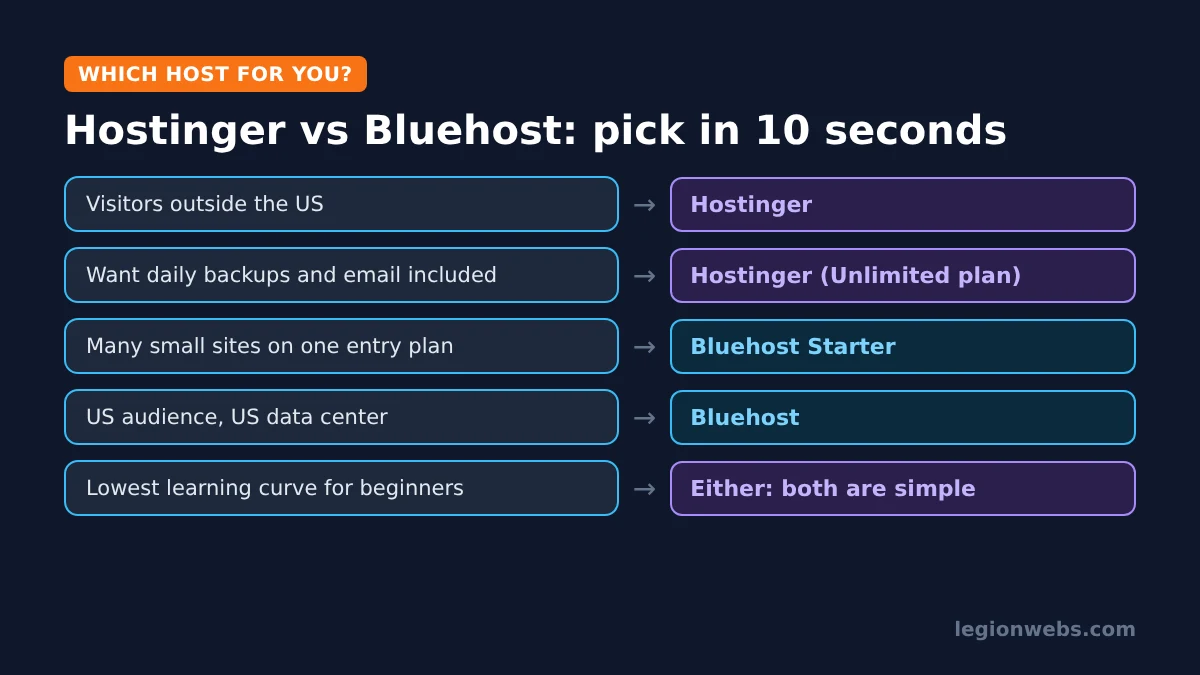
- Choose Hostinger if you want LiteSpeed speed tools, email included, daily backups on the mid plan, or your audience is outside the US.
- Choose Bluehost if you want to host many small sites on the cheapest plan, or your visitors are mainly in the US.
- Either works if you are building your first small site; both install WordPress for you and offer a 30-day refund window.
Still unsure? Our guide on how to choose web hosting lists the questions to ask any host before you pay.
Frequently Asked Questions
Is Hostinger better than Bluehost for WordPress?
For most beginners outside the US, Hostinger offers more included features per plan, such as email and daily backups on the mid plan. Bluehost is a good fit for US sites and for running many small sites on one entry plan.
Can I move from Bluehost to Hostinger later?
Yes. WordPress sites can move between hosts, and many hosts offer free migration help. See our lesson on how to migrate a website to a new host.
Do both hosts include a free domain?
Yes, both include a free domain for the first year on their WordPress plans. After that, the domain renews at the normal yearly price.
Which is easier for beginners?
Both are designed for beginners and install WordPress for you. The best way to decide is to try one during the 30-day money-back period.
What’s next
- Build your site: how to make a WordPress website.
- Starting a blog? Follow how to start a WordPress blog on Hostinger.
- Learn the basics: types of web hosting.
Free download
Firestick + IPTV Setup Checklist
Two printable pages: install, login, the settings that make it faster and quick fixes for buffering and an empty guide.
We'll send occasional new guides. No spam, unsubscribe any time. Privacy
We recommend Hostinger for beginners: affordable plans, free SSL, one-click WordPress install and 24/7 support.
Get started with Hostinger →