
What is dedicated hosting?
This guide may contain affiliate links. If you buy through them we may earn a commission at no extra cost to you. As an Amazon Associate I earn from qualifying purchases. Learn more.
Lessons 5 of 11
Quick Overview: Dedicated hosting means renting an entire physical server for one customer. Nothing is shared: all the processor power, memory, storage and bandwidth belong to your websites. It is the most powerful and most expensive kind of hosting, and most sites never need it.
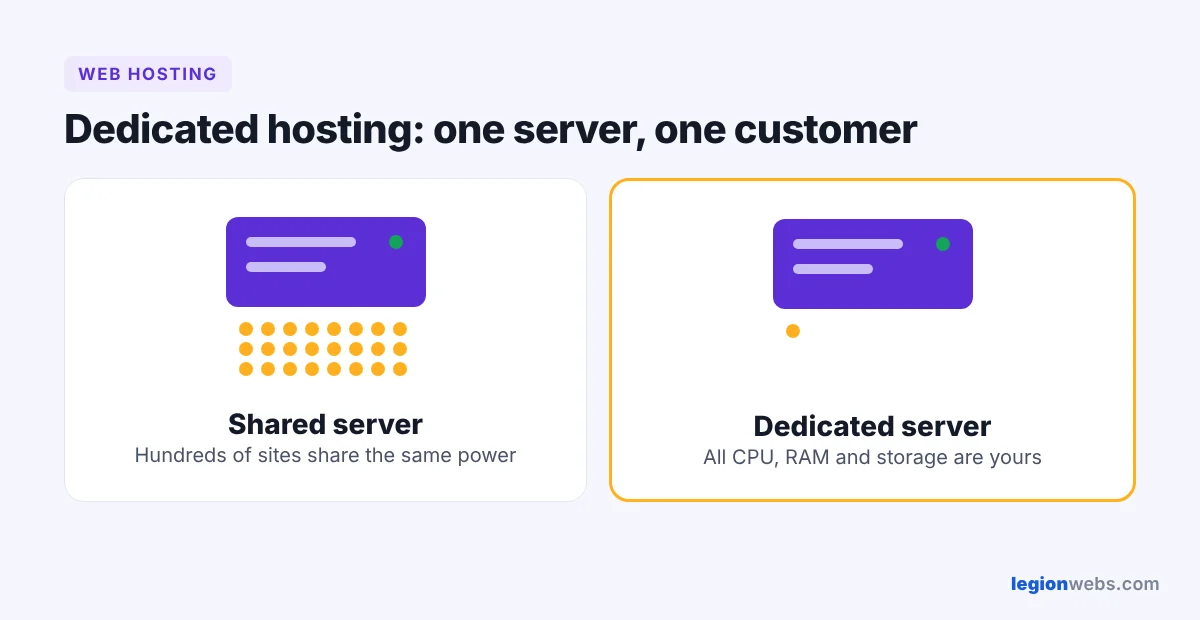
Large online stores, busy news sites and companies with strict security rules often choose dedicated hosting because it gives them maximum speed and full control. This lesson explains how it works, what it costs you in time and skills, and how to decide whether it is worth it.
How dedicated hosting works
The hosting company owns the hardware, keeps it in a secure data center and connects it to a fast network. You rent the whole machine, usually by the month, and choose its operating system and software. The provider handles electricity, cooling and hardware repairs; depending on your plan, you or the provider handle everything else. See this background on dedicated hosting services for more detail.
If shared hosting is a shared dorm and a VPS is your own apartment, a dedicated server is a detached house: more space and privacy, but you also get all the upkeep.
Dedicated server vs VPS vs cloud
| Dedicated server | VPS | Cloud | |
|---|---|---|---|
| Hardware | A whole physical server | A virtual slice of a server | A network of many servers |
| Performance | Highest and most consistent | High | High, scales on demand |
| Scaling up | Slow: new hardware needed | Quick plan upgrade | Very quick, often automatic |
| Price | Highest | Medium | Pay for what you use |
| Best for | Very large or sensitive sites | Growing sites | Sites with changing traffic |
Who needs dedicated hosting?
- Websites with very high traffic every day, not just occasional peaks.
- Large online stores that cannot afford slowdowns at checkout.
- Businesses that must meet strict security or compliance rules and want hardware no one else uses.
- Teams running custom software, game servers or heavy databases.
If none of these describe you, a VPS or cloud hosting will give you more than enough power for much less money.
Pros and cons of dedicated hosting
| Pros | Cons |
|---|---|
| Every resource is yours alone | The most expensive option |
| Best performance and stability | Needs a skilled administrator, or a managed plan |
| Full control of hardware and software | Upgrading hardware takes time |
| Strong isolation for security | Hardware failure can mean downtime without a backup plan |
Managed vs unmanaged dedicated servers
With an unmanaged server you install updates, configure the firewall and run backups yourself. With a managed server the provider’s team does this for you. Unless you have a system administrator, managed is the safer choice.
What to check before you buy
- Processor and RAM that match your real traffic, with room to grow.
- SSD or NVMe drives, ideally in a RAID setup for protection.
- Bandwidth allowance and network speed.
- Backups: how often, where they are stored, and how fast you can restore.
- DDoS protection and a firewall.
- Support response times, especially at night and on weekends.
Frequently Asked Questions
Is dedicated hosting worth it for a small business?
Usually not. A small business website runs well on shared hosting or a VPS. Dedicated hosting makes sense when traffic, security rules or custom software demand it.
What is the difference between dedicated and VPS hosting?
A VPS is a virtual part of a server with guaranteed resources. Dedicated hosting gives you the whole physical machine, so you get more power and isolation at a higher price.
Can I start small and move to a dedicated server later?
Yes. Most sites start on shared hosting, move to a VPS as they grow, and only switch to a dedicated server when they truly need it. Beginners can start with an affordable plan from Hostinger and upgrade later.
What’s next
Continue with cloud hosting, a flexible alternative that scales with your traffic.
We recommend Hostinger for beginners: affordable plans, free SSL, one-click WordPress install and 24/7 support.
Get started with Hostinger →