
How to Install OTT Navigator on Firestick (2026 Setup Guide)
This guide may contain affiliate links. If you buy through them we may earn a commission at no extra cost to you. As an Amazon Associate I earn from qualifying purchases. Learn more.
Lessons 9 of 13
Quick Overview: OTT Navigator on Firestick is one of the best free IPTV players, with a clean TV guide and support for Xtream Codes, M3U and Stalker portals. In this lesson you install OTT Navigator on Firestick from the developer’s official download, add your IPTV provider, load the TV guide and set it up for smooth playback.
OTT Navigator is a good middle ground between IPTV Smarters and TiviMate. First of all, it is free to use, it has a real TV guide, and it handles very large playlists well. Optional Premium features exist, but you do not need them to watch. However, like every player, it has no channels of its own, so you need a subscription from a licensed IPTV service.
What you need
- A Fire TV running Fire OS with Downloader installed (Vega OS models such as the 4K Select cannot install it)
- Your IPTV login: Xtream Codes details or an M3U link, for example from a free IPTV trial
- About 10 minutes
Step 1: Download OTT Navigator on Firestick
OTT Navigator is not in the Amazon Appstore. Instead, the developer offers a standalone version for Fire TV, as listed in the official OTT Navigator FAQ.
- First, open Downloader.
- Then type this address in the address bar: app.ott-nav.com/dist/std/latest.apk
- Select Go and wait for the download.
- Next, select Install, then Done.
- Finally, select Delete to remove the installer file.
Avoid “modded” or “premium unlocked” copies from other websites. After all, they are unofficial, may contain malware, and break when the app updates.
Step 2: Open OTT Navigator and add your provider
- Open OTT Navigator from Your Apps & Channels, and accept the permissions it asks for.
- When it asks for a provider, choose the type that matches your login.
- For Xtream Codes, enter the server URL, username and password.
- For an M3U link, choose the playlist option and paste the link.
- Give the provider a name and confirm. As a result, the channels now load.
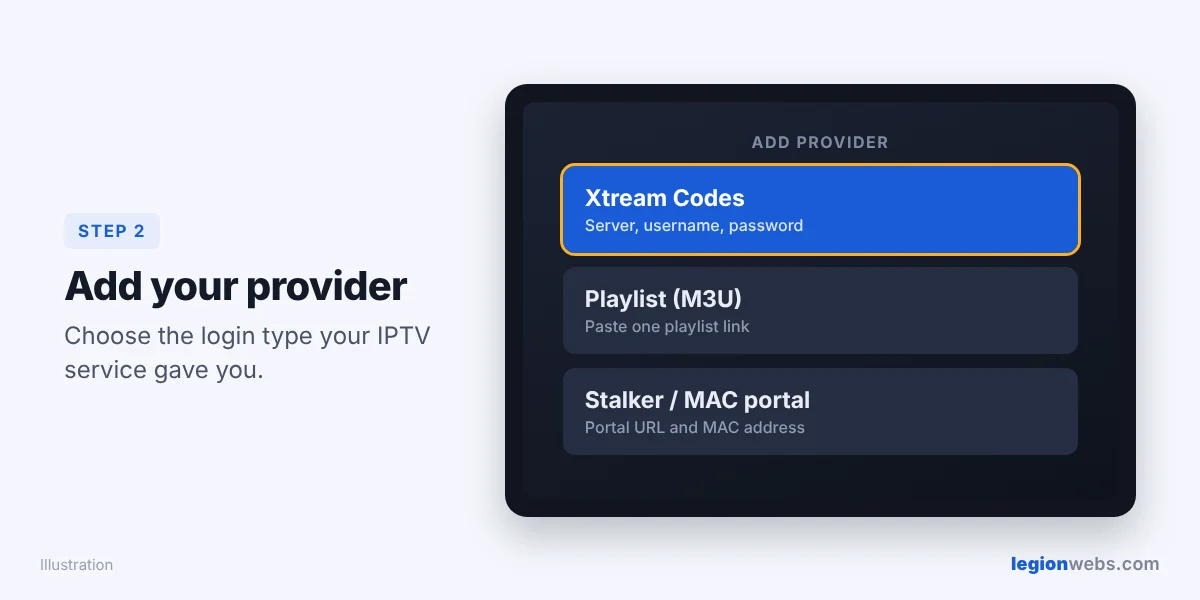
Not sure which to pick? Our M3U vs Xtream Codes lesson explains the difference. In short, choose Xtream Codes whenever you have it.
Step 3: Load the TV guide in OTT Navigator
With Xtream Codes, the TV guide usually loads by itself. To check, go to Settings → EPG → Reload. On the other hand, if you use an M3U playlist, add the guide link under Settings → Provider → Parameters → EPG. For more detail, see How to Add EPG to IPTV.
Step 4: Best OTT Navigator settings for Firestick
| Setting | Recommended | Why |
|---|---|---|
| Player | Built-in player first | Switch to another player only if a channel stutters |
| EPG update | Once a day | Keeps the guide fresh without slowing the stick |
| Start screen | TV guide or last channel | Gets you watching faster |
| Hidden groups | Hide groups you never watch | Shorter lists load faster |
| Parental control | Set a PIN for adult groups | Keeps the family profile safe |
Setting names may differ slightly by version. Still, these options are all in the main Settings menu.
Is OTT Navigator Premium worth it?
In most cases, the free version is enough for live TV, movies and the TV guide. Premium adds extras such as more profiles and device management. On Fire TV, Premium is managed through the developer’s OttNav Companion app, and one purchase covers several devices. Therefore, check the current price in the app before you buy, and try the free version first.
OTT Navigator on Firestick: troubleshooting
| Problem | Fix |
|---|---|
| Downloader shows an error for the address | Check the spelling, including /dist/std/latest.apk. Make sure Downloader may install unknown apps. |
| “Invalid login” when adding the provider | Retype the details. The server URL needs http:// and, often, a port number. |
| Empty TV guide | Go to Settings → EPG → Reload, then restart the app. |
| Channels buffer | Try another player in the settings, then follow our buffering fixes. |
| App is slow with a huge playlist | Hide unused groups and clear the cache. See how to clear cache on Firestick. |
Frequently Asked Questions
Is OTT Navigator free on Firestick?
Yes. You can watch for free; Premium is an optional upgrade.
Is OTT Navigator better than TiviMate?
TiviMate has the more polished TV guide and recording. On the other hand, OTT Navigator is free, handles Stalker portals, and is very good with large playlists. Compare them in Best IPTV App for Fire Stick.
Does OTT Navigator include channels?
No. It is a player only. You add a playlist from your own IPTV service.
What’s next
OTT Navigator on Firestick is ready. Next, keep it running smoothly with How to Fix IPTV Buffering, or protect your streams with a VPN on Firestick.