
Vega OS Fire TV: Which Models Run It and What Changes
This guide may contain affiliate links. If you buy through them we may earn a commission at no extra cost to you. As an Amazon Associate I earn from qualifying purchases. Learn more.
Lessons 3 of 5
Quick Overview: Vega OS Fire TV devices run Amazon’s new Linux-based system instead of the Android-based Fire OS. As a result, they only install apps from the Amazon Appstore: no Downloader, no sideloading and no Android APKs. This lesson shows which Fire TV models run Vega OS, how to check yours in 20 seconds, what still works, and what to do if you need apps like TiviMate.
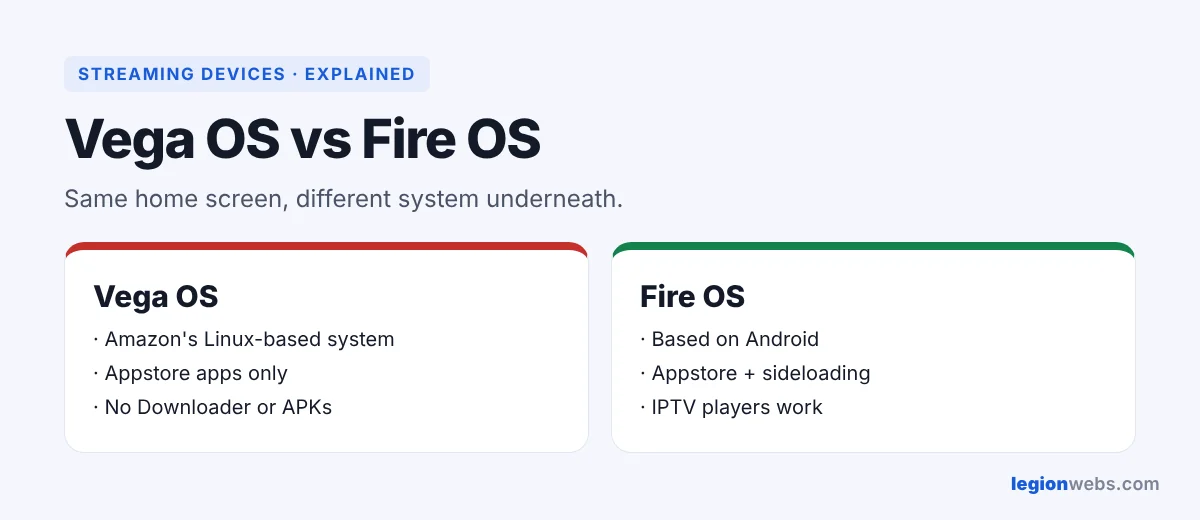
For years, every Fire TV Stick ran Fire OS, which is based on Android. That is why you could install almost any Android app with the Downloader app. Since 2025, however, Amazon has been moving some new models to Vega OS, its own operating system. The home screen looks almost the same, so many buyers only notice the change when an app will not install.
Which Fire TV devices run Vega OS?
According to AFTVnews’ tracked list (updated October 2026), the split looks like this:
| Runs Vega OS (no sideloading) | Runs Fire OS (sideloading works) |
|---|---|
| Fire TV Stick 4K Select | Fire TV Stick 4K Max |
| Fire TV Stick 4K (3rd gen, newest model) | Fire TV Stick 4K Plus |
| Fire TV Stick HD (2nd gen, Wi-Fi 6) | Fire TV Cube |
| Fire TV Stick HD (1st gen, Wi-Fi 5) | |
| Smart TVs with Fire TV built in |
Amazon may move more models to Vega OS over time, so always check before you buy.
How to check if your Fire TV runs Vega OS
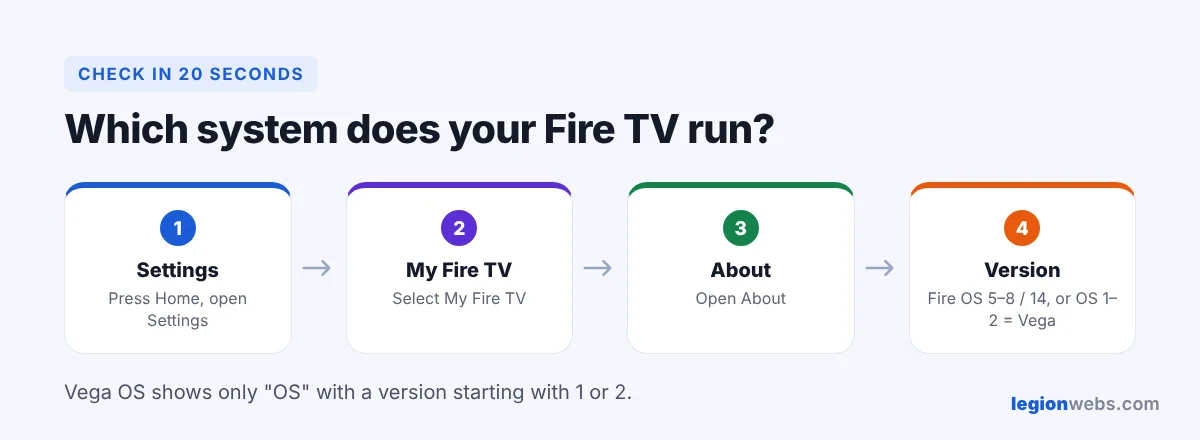
- First, press Home and open Settings.
- Then go to My Fire TV → About.
- Finally, look at the software version.
- Fire OS: the version mentions Fire OS, or starts with 5, 6, 7, 8 or 14.
- Vega OS: it only says OS, with a version starting with 1 or 2.
What works on Vega OS Fire TV (and what does not)
| Feature | Vega OS | Fire OS |
|---|---|---|
| Amazon Appstore apps (Netflix, Prime Video, YouTube) | Yes | Yes |
| Downloader and sideloaded APKs | No | Yes |
| TiviMate, IPTV Smarters, OTT Navigator | No (not in the Appstore) | Yes |
| Kodi | No | Yes |
| VPN apps | Some, starting with NordVPN | All major VPNs |
In short, a Vega OS stick is fine for mainstream streaming apps. However, it is the wrong choice if you rely on IPTV players or other apps from outside the Appstore.
Your options if you need sideloaded apps
- Exchange it: if you just bought a Vega OS stick, check whether you can still return it, and choose a 4K Max or 4K Plus instead. See Fire TV Stick 4K Max vs 4K Select.
- Use another device: an Android TV or Google TV box runs the same players. See IPTV on Android TV.
- Use your TV’s own apps: Samsung and LG TVs have IPTV players in their stores; see IPTV on Smart TV.
- Check the Appstore: a few players publish Vega OS versions. Search the Appstore on your stick, and use only official apps.
Frequently Asked Questions
Can I turn a Vega OS Fire TV back into Fire OS?
No. The operating system is fixed by Amazon, and there is no official way to change it.
Will my old Fire TV Stick get Vega OS in an update?
So far, existing Fire OS devices keep Fire OS. Vega OS has come with new models, not as an update to older ones.
Is Vega OS faster than Fire OS?
The Vega OS sticks are built to be light and cheap, so they feel smooth with mainstream apps. Still, models like the 4K Max have more memory and storage for heavy use.
What’s next
Now you know what Vega OS Fire TV devices can and cannot do. If your stick runs Fire OS, start with How to Install Downloader, or follow the full IPTV on Firestick guide.