
Does a VPN Slow Down Internet? Why It Happens and How to Fix It
This guide may contain affiliate links. If you buy through them we may earn a commission at no extra cost to you. As an Amazon Associate I earn from qualifying purchases. Learn more.
Lessons 14 of 14
Quick Overview: Does a VPN slow down internet speed? Yes, a little, because your traffic is encrypted and takes a detour through a VPN server. With a good VPN, a nearby server and a modern protocol, the drop is usually small and hard to notice while streaming. Big slowdowns come from distant or crowded servers, older protocols, weak Wi-Fi or low-power devices. In some cases a VPN can even be faster, if your internet provider slows down streaming traffic on purpose.
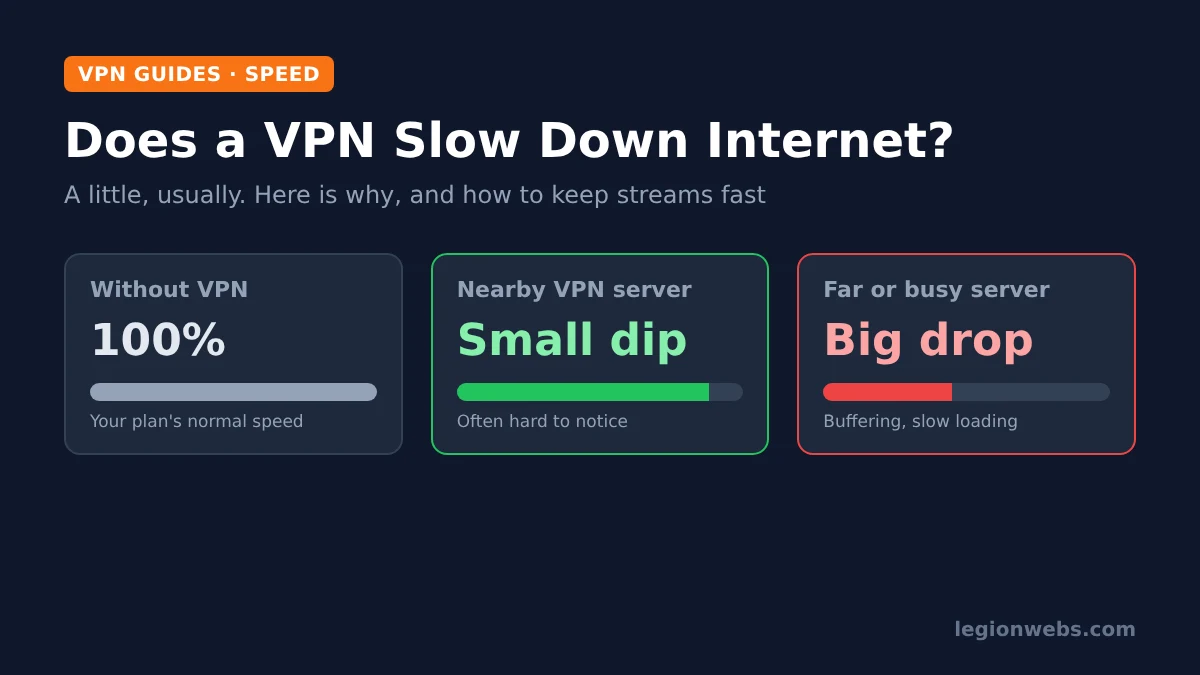
You want the privacy of a VPN, but not a buffering wheel in the middle of a match. So, does a VPN slow down internet speed enough to matter? The honest answer is that every VPN costs some speed, but how much depends mostly on choices you control. In this lesson, you will learn why speed drops, how much is normal, how to measure your own slowdown, and eight practical ways to keep streams fast with the VPN switched on.
Disclosure: Legion Webs is an affiliate of NordVPN and IPVanish. If you sign up through our links, we may earn a commission at no extra cost to you.
What you need: a VPN app on your device, a speed test site or app (for example, Speedtest or fast.com), and about five minutes to compare results.
Why does a VPN slow down internet speed?
Without a VPN, your data goes straight from your device to the website or streaming server. With a VPN, it is first encrypted on your device, then sent to the VPN server, decrypted there and forwarded on. That longer, encrypted route is the whole story. Each of the following adds a little delay:
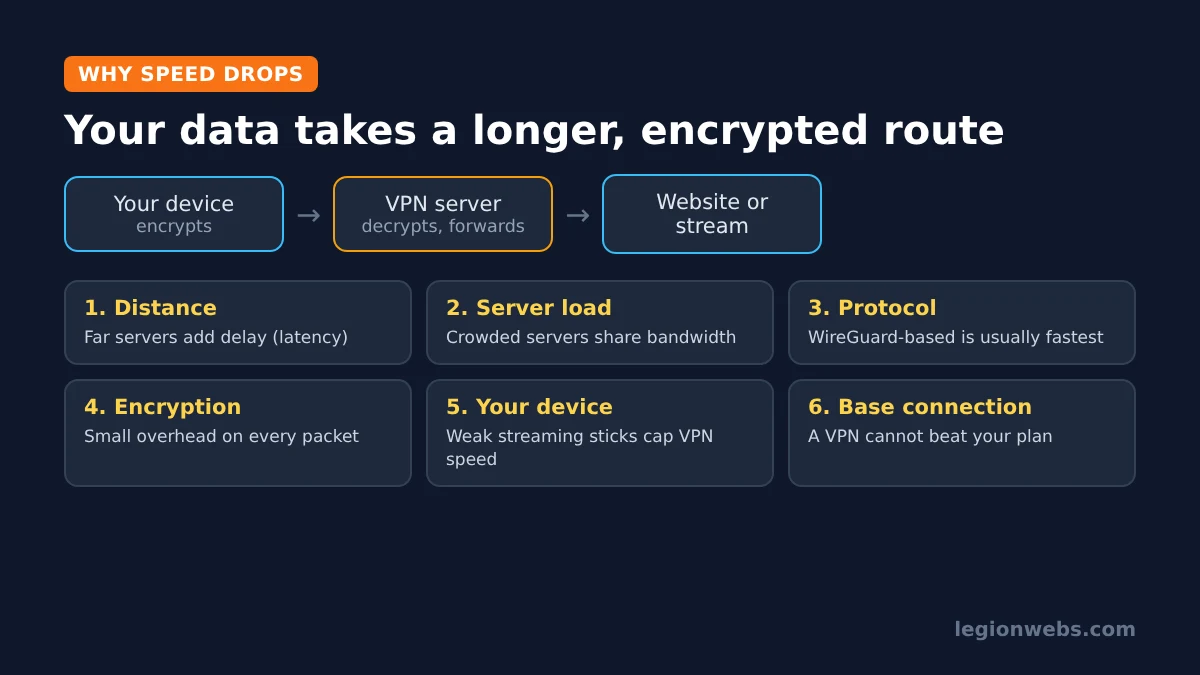
- Distance to the server: the farther away the server is, the longer every request takes. Connecting from London to a server in Australia adds far more delay than one in Manchester.
- Server load: a crowded server shares its bandwidth among many users. As How-To Geek explains, a busy nearby server can even be slower than a quiet distant one.
- Protocol: the “language” the app uses for the tunnel. Modern WireGuard-based protocols (such as NordVPN’s NordLynx) are usually faster than older ones like OpenVPN.
- Encryption: every packet is encrypted and decrypted. Modern encryption is efficient, so this is rarely the main cause on its own.
- Your device: encryption uses processing power. Low-power streaming sticks and older phones can reach lower VPN speeds than a laptop on the same connection.
- Your base connection: a VPN cannot be faster than the internet plan you pay for, and weak Wi-Fi hurts with or without it.
How much speed is normal to lose?
There is no single number, because your server, protocol and connection all change the result. Still, published tests give a useful range. NordVPN’s own guide says encryption overhead can cut speed by around 5% to 25% in some cases. Independent reviewers at Security.org reported average download losses under 10% for the top VPNs they tested, using nearby servers.
| Situation | What to expect | Will streams notice? |
|---|---|---|
| Good VPN, nearby server, modern protocol | Small drop, often under 10–15% | Rarely |
| Same VPN, server on another continent | Noticeably slower, higher ping | Sometimes, mostly on 4K |
| Crowded server or older protocol | Large and changing drops | Yes, buffering likely |
| Free VPN with busy shared servers | Often slow, with speed or data limits | Yes, especially at peak times |
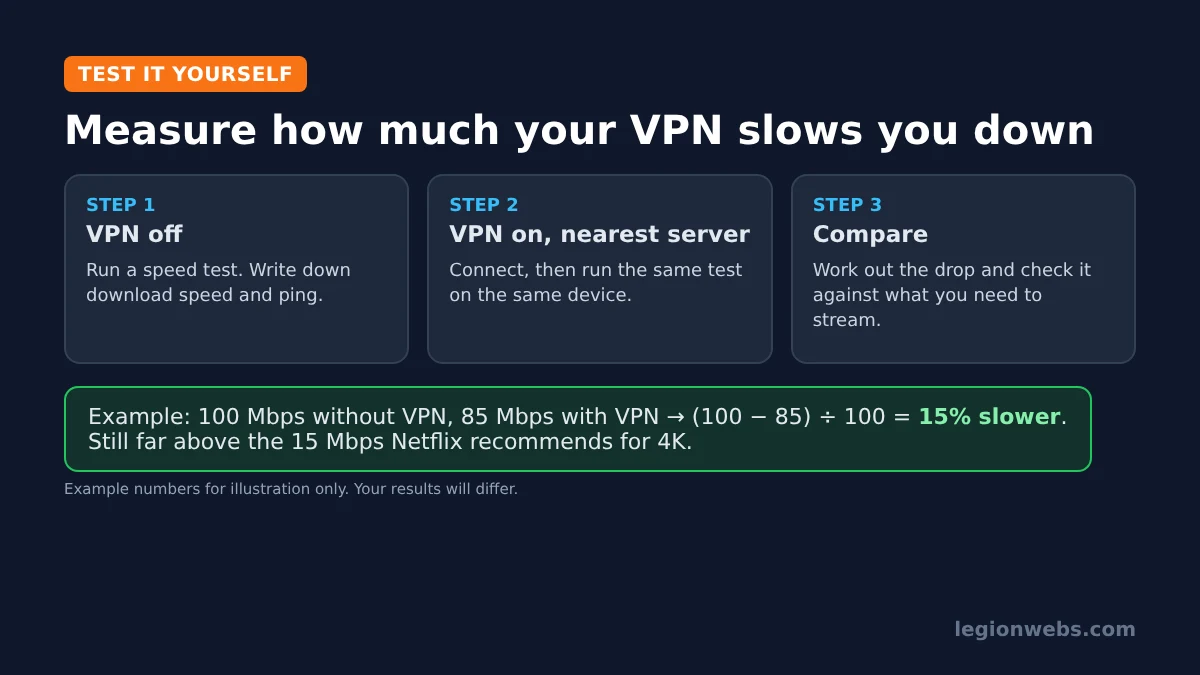
What matters for streaming is not the percentage but whether you still have enough speed left. For example, Netflix recommends 5 Mbps for Full HD and 15 Mbps for 4K. Therefore, if you have 100 Mbps and lose 15%, you still have plenty. On a 20 Mbps connection, however, the same loss can push 4K over the edge. Our internet speed for IPTV lesson shows how much you need per stream.
Step 1: Measure your own VPN slowdown
Before changing anything, find out how big your slowdown really is. Use the same device and the same test each time:
- Disconnect the VPN and run a speed test. Write down the download speed and the ping.
- Connect the VPN to the nearest server, or use the app’s quick connect option.
- Run the same test again and write down the results.
- Work out the drop: (speed without VPN − speed with VPN) ÷ speed without VPN × 100.
- Repeat once at a busy time, such as the evening, because results change during the day.
If both results are slow, the problem is your connection or Wi-Fi rather than the VPN. In that case, start with our Fire Stick Wi-Fi fixes or restart your router first.
Step 2: Use these 8 ways to keep your VPN fast
Most VPN speed problems have simple fixes. Work through them in order, and test again after each change.
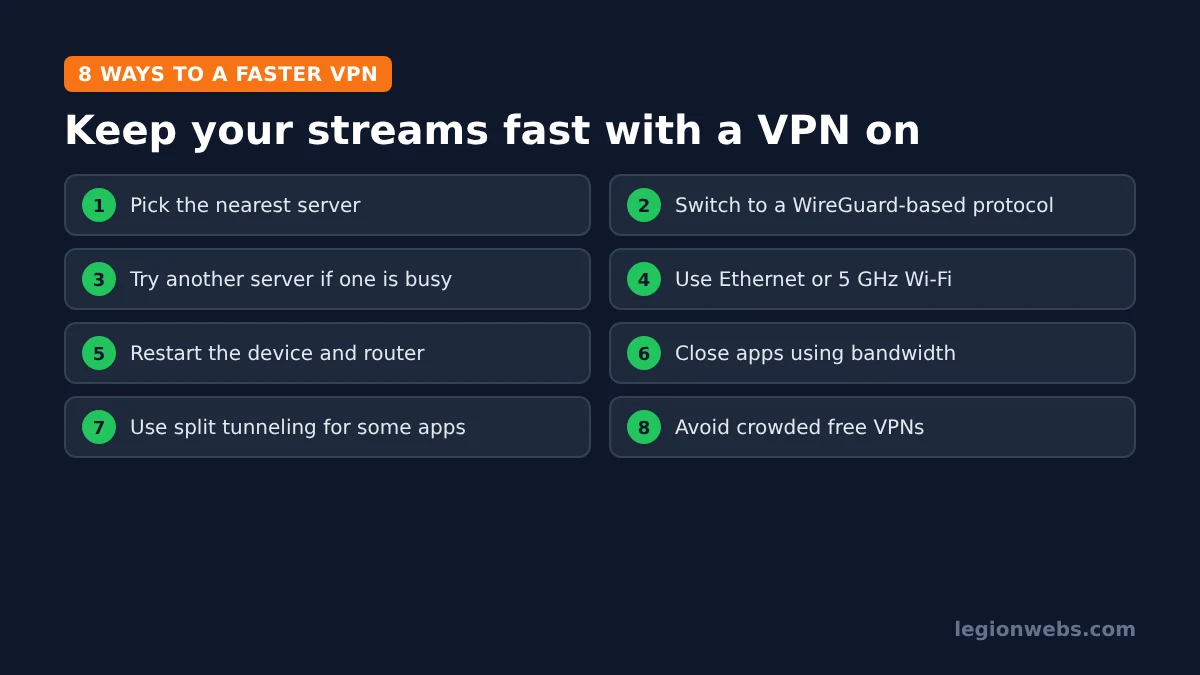
- Pick the nearest server. Unless you need a specific country, choose a server in or near your own. Quick connect usually does this for you.
- Switch to a faster protocol. In the app’s settings, choose a WireGuard-based option, such as NordLynx in NordVPN or WireGuard in IPVanish, if your device offers it.
- Try another server. If one server is slow, it may simply be busy. Connect to a different one in the same city or country.
- Improve your connection. Use an Ethernet cable where you can, or move closer to the router and use the 5 GHz Wi-Fi band.
- Restart the device and router. It clears stuck connections and memory, especially on streaming sticks.
- Close apps that use bandwidth. Downloads, cloud backups and other streams on the same network all compete for speed.
- Use split tunneling. Send only the apps that need privacy through the VPN and let others use your normal connection. See VPN for IPTV for when this makes sense.
- Avoid crowded free VPNs. Free servers are shared by many users and often limit speed. Our free VPN for Firestick lesson explains the trade-offs.
On a Fire TV Stick, the first two fixes make the biggest difference. Our NordVPN on Firestick and IPVanish on Firestick lessons show where these settings are in each app.
Can a VPN make your internet faster?
Sometimes, yes. Some internet providers slow down certain kinds of traffic, such as video streaming, at busy times. Because a VPN encrypts your traffic, the provider cannot see that you are streaming, so it cannot target it. In that case, your streams can run faster with the VPN on.
However, a VPN will not help if your provider slows down all traffic after a data cap, or if your plan itself is too slow. It also cannot fix a weak Wi-Fi signal. The simple test from Step 1 tells you which situation you are in.
As always, a VPN protects your privacy; it does not make an unlicensed service legal. Only use licensed IPTV and streaming providers.
VPN speed problems and fixes
| Problem | Likely cause | Fix |
|---|---|---|
| Fast without VPN, slow with it | Far or busy server, older protocol | Nearest server, WireGuard-based protocol |
| Slow only in the evening | Busy server or network at peak time | Try another server; test again later |
| Slow with and without VPN | Weak Wi-Fi or slow plan | Fix Wi-Fi, use Ethernet, check your plan |
| Streams buffer, speed test looks fine | App or stream issue, not the VPN | See our IPTV buffering fixes |
| VPN will not connect at all | App, network or account problem | See VPN not working on Firestick |
Does a VPN slow down internet? FAQ
Does a VPN slow down internet on Firestick?
A little, like on any device. Fire TV Sticks have less processing power than a computer, so a nearby server and a WireGuard-based protocol matter even more there.
Does a VPN increase ping?
Yes, usually by a small amount on a nearby server. Distant servers add much more ping, which matters for gaming more than for streaming.
Does a kill switch slow down my connection?
No. It only acts when the VPN drops. Learn more in our VPN kill switch lesson.
Is a paid VPN faster than a free one?
Usually, yes. Paid services have more servers and fewer users per server, while free plans often limit speed, data or server choice.
Which VPN is fastest for streaming?
Results change over time and by location, so test with a refund window. NordVPN and IPVanish both scored well in recent independent speed tests; see NordVPN vs IPVanish to compare them.
What’s next
- Internet speed for IPTV: how much speed each stream really needs.
- VPN for IPTV: when a VPN helps and how to set it up.
- VPN kill switch: stay protected when the connection drops.
- Best VPN for Firestick: our picks for Fire TV.
Free download
Firestick + IPTV Setup Checklist
Two printable pages: install, login, the settings that make it faster and quick fixes for buffering and an empty guide.
We'll send occasional new guides. No spam, unsubscribe any time. Privacy