
NordVPN vs Surfshark: Which VPN Is Better for Streaming?
This guide may contain affiliate links. If you buy through them we may earn a commission at no extra cost to you. As an Amazon Associate I earn from qualifying purchases. Learn more.
Lessons 11 of 12
Quick Overview: In the NordVPN vs Surfshark comparison, NordVPN wins on network size, privacy jurisdiction and extras such as a Dedicated IP, while Surfshark wins on value for big households, because one plan covers unlimited devices. Both have Fire TV and Vega OS apps, WireGuard-based speed, audited no-logs policies and a 30-day money-back guarantee. Choose NordVPN for the most complete streaming setup; choose Surfshark if you have many screens on a budget.
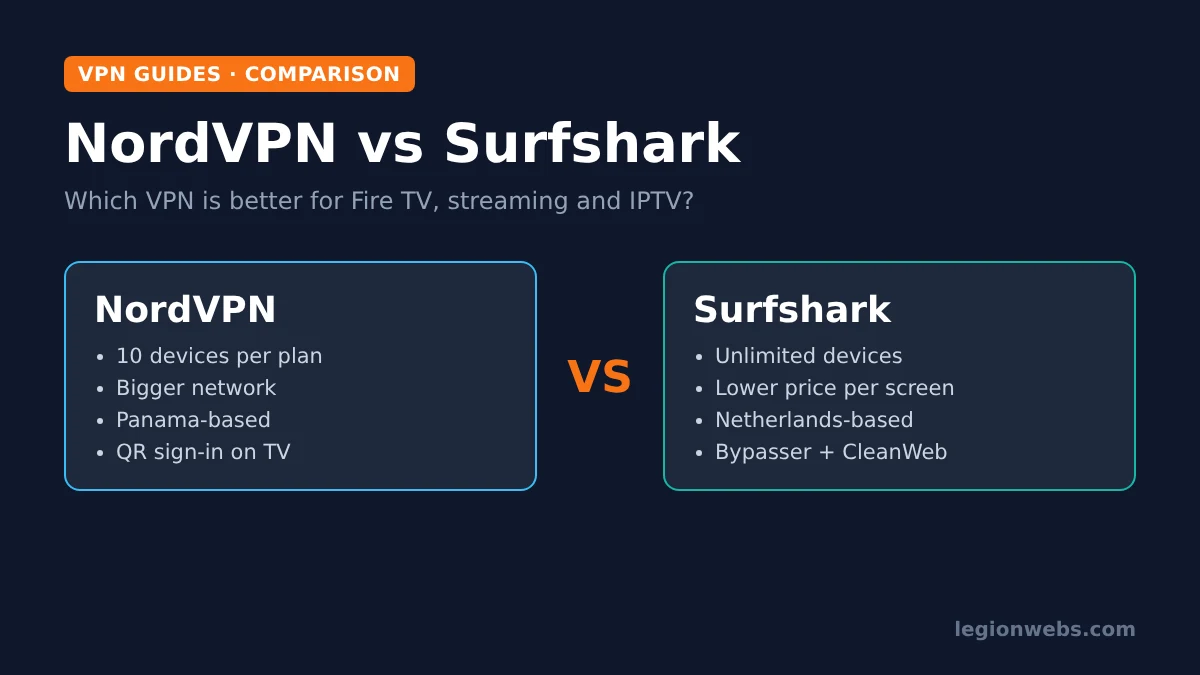
NordVPN and Surfshark are two of the most popular VPNs for streaming, and they have more in common than most people realise: since 2022 they belong to the same group, Nord Security, although they still run separate apps, servers and plans. So the choice comes down to the details that matter on a TV: device limits, apps, privacy, extras and price. This lesson compares them on exactly those points, using each provider’s published facts and recent independent reviews.
Disclosure: Legion Webs is a NordVPN affiliate and may earn a commission if you sign up through our NordVPN links, at no extra cost to you. We have no affiliate relationship with Surfshark, and our Surfshark links go to its official site.
NordVPN vs Surfshark at a glance
| Feature | NordVPN | Surfshark |
|---|---|---|
| Devices per plan | 10 | Unlimited |
| Fire TV app (Fire OS and Vega OS) | Yes | Yes |
| Android TV and Apple TV apps | Yes | Yes |
| Fastest protocol | NordLynx (WireGuard-based) | WireGuard |
| Network size | 7,100+ servers (NordVPN’s figure) | 4,500+ servers in 100 countries (VPNpro, July 2026) |
| Headquarters | Panama | The Netherlands |
| No-logs audits | Several since 2018 | Deloitte |
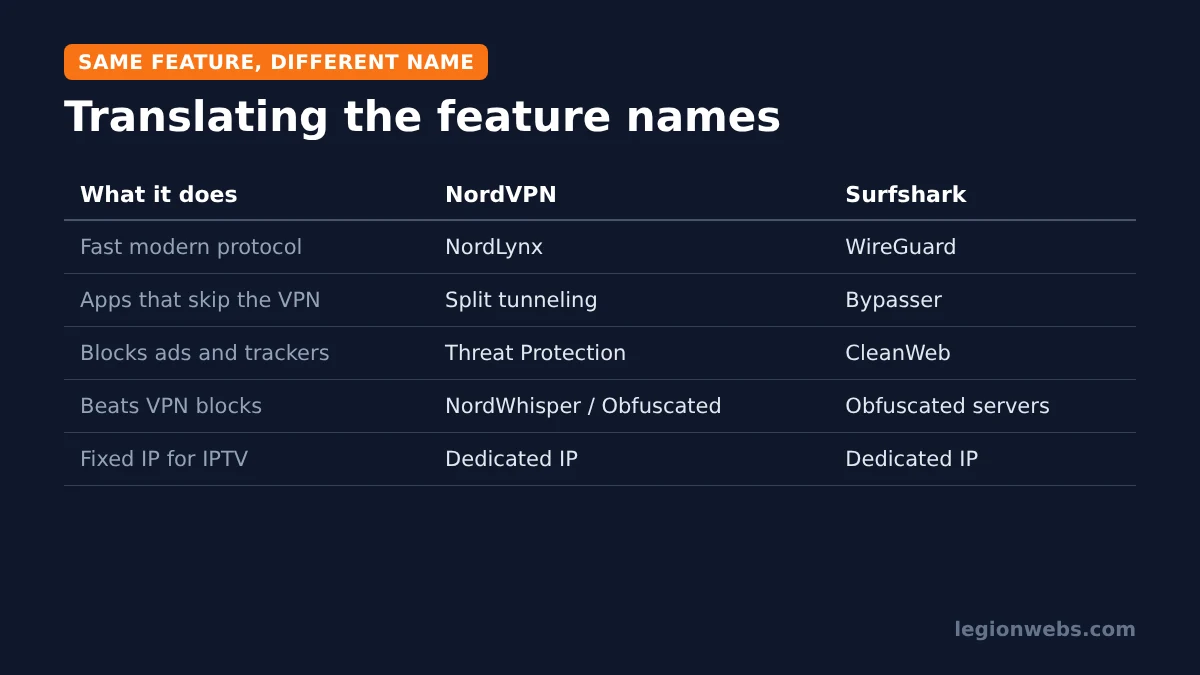
| Split tunneling | Split tunneling | Bypasser |
| Ad and tracker blocker | Threat Protection | CleanWeb |
| Dedicated IP | Paid add-on | Paid add-on |
| Money-back guarantee | 30 days | 30 days |
NordVPN vs Surfshark: devices per plan
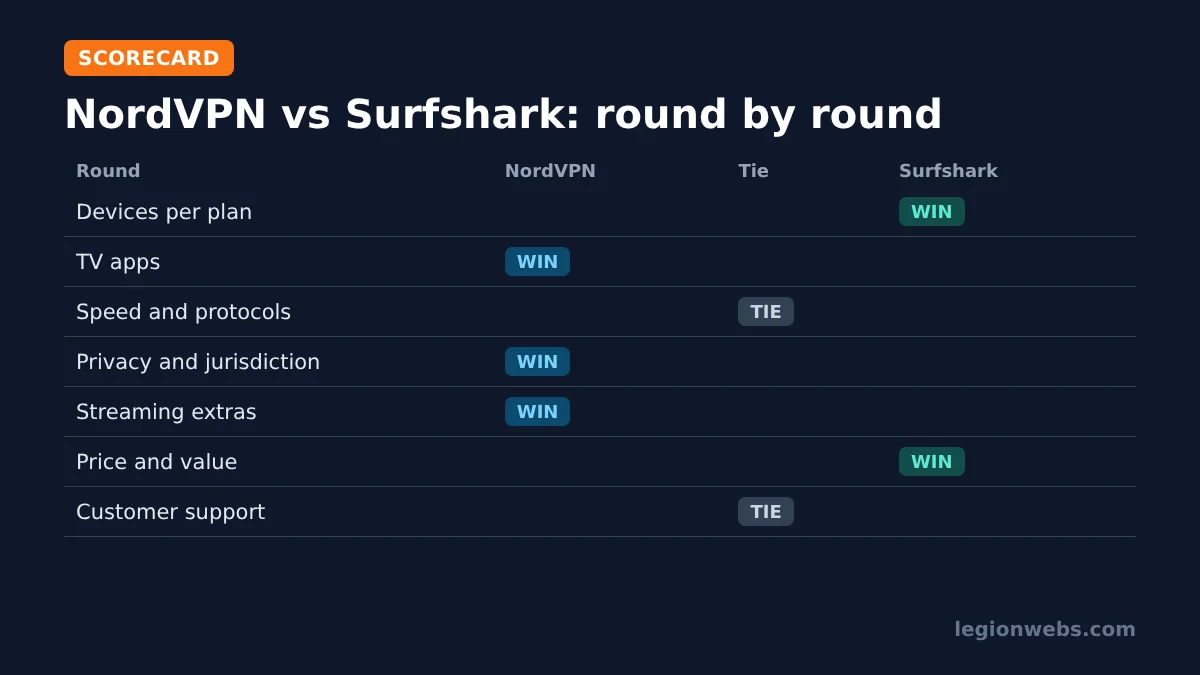
This is the clearest difference. NordVPN covers up to 10 devices at once, which suits most couples and small families. Surfshark, on the other hand, sets no device limit, so a house with several Fire Sticks, phones, tablets and laptops never has to juggle connections.
Round winner: Surfshark.
Fire TV, Android TV and Apple TV apps
Both providers have native apps for Fire TV (including the Vega OS Fire TV Stick 4K Select), Android TV, Google TV and Apple TV, all installed from the official app stores. Both let you sign in by scanning a QR code with your phone, which spares you typing a password with the remote (Surfshark also accepts a login code). NordVPN’s TV apps stand out for a settings menu with auto-connect, protocol choice, split tunneling and Threat Protection, while Surfshark’s apps are simple and quick to set up. For step-by-step setup, see NordVPN on Firestick and NordVPN on Android TV.
Round winner: NordVPN, by a small margin, for the fuller TV settings menu.
Speed and protocols
Both use WireGuard technology for their fastest connections: NordVPN calls its version NordLynx, while Surfshark uses WireGuard by name. Both also keep OpenVPN and IKEv2 as fallbacks, plus an option for networks that block VPNs (NordWhisper or obfuscated servers on NordVPN, obfuscated servers on Surfshark). In practice, either is fast enough for 4K streaming on a good connection, and a nearby server matters far more than the brand.
Round winner: tie. Test both on your own line during the refund window.
NordVPN vs Surfshark on privacy and security
Both keep audited no-logs policies: NordVPN has been audited several times since 2018, and Deloitte has verified Surfshark’s policy. Both also offer a kill switch. The main difference is location. NordVPN is based in Panama, outside the major intelligence-sharing alliances, whereas Surfshark is based in the Netherlands, part of the Nine Eyes. For everyday streaming this matters little because neither keeps activity logs. Still, if jurisdiction matters to you, NordVPN has the edge.
Round winner: NordVPN.
Streaming extras
- Split tunneling: NordVPN calls it split tunneling, Surfshark calls it Bypasser. Either way, you can keep an IPTV player or a VPN-blocking app on your normal connection.
- Ad blocking: NordVPN’s Threat Protection and Surfshark’s CleanWeb both block ads, trackers and malicious sites.
- Dedicated IP: both sell one as an add-on, which helps when an IPTV provider locks your account to one address.
- Network size: NordVPN’s larger network gives more city choices close to home and more room at busy times.
Round winner: NordVPN, mainly for the bigger network.
NordVPN vs Surfshark: price, trial and refunds
Surfshark is usually the cheaper of the two on long plans, and that gap grows when you count unlimited devices. However, both run frequent deals, so check the current price on NordVPN’s deal page and Surfshark’s website before you decide. Both offer a 30-day money-back guarantee. In addition, according to recent reviews, Surfshark offers a 7-day free trial for eligible new customers through its mobile apps.
Round winner: Surfshark, for value.
Setting them up on a Fire Stick: side by side
Because most of our readers watch on Fire TV, here is how the first few minutes compare. In both cases, you install from the Amazon Appstore, so there is no Downloader or sideloading involved.
| Step | NordVPN | Surfshark |
|---|---|---|
| 1. Install | Find > Search > NordVPN > Get | Find > Search > Surfshark > Get |
| 2. Sign in | Scan a QR code with your phone | Scan a QR code, enter a login code or use email |
| 3. Allow the VPN | Accept the Fire TV connection request | Accept the Fire TV connection request |
| 4. Connect | Quick Connect, or choose a country | Fastest location, or choose a country |
| 5. Fine-tune | Auto-connect, NordLynx, split tunneling | WireGuard, Bypasser, CleanWeb |
After setup, both apps run quietly in the background while you use streaming and IPTV apps. Therefore, day to day, you will rarely notice which one you chose; the differences show up in device limits, extras and price.
Apps for the rest of your devices
A VPN subscription usually ends up on more than the TV. Both providers cover all the common platforms, so one account protects the whole household:
| Platform | NordVPN | Surfshark |
|---|---|---|
| Windows, macOS, Linux | Yes | Yes |
| iPhone, iPad, Android | Yes | Yes |
| Fire TV, Android TV, Apple TV | Yes | Yes |
| Browser extensions | Yes | Yes (Chrome, Firefox) |
| Routers | Manual setup | Manual setup |
| Samsung, LG, Roku TVs | Router or SmartDNS | Router or SmartDNS |
For Samsung and LG TVs, which cannot run VPN apps, see VPN on smart TV for the router and SmartDNS routes.
Same owner, different products: what it means for you
Because NordVPN and Surfshark share a parent group, people often ask whether they are the same VPN in different packaging. They are not: each has its own apps, its own server network and its own subscription, and you cannot use one account on the other. Consequently, the right choice still depends on your household. In short, NordVPN is the premium, feature-rich option, while Surfshark is the value option built around unlimited devices.
Customer support
Both provide round-the-clock live chat and large online help centres with setup guides for TVs, routers and computers. For most Fire TV issues, though, the fastest fix is in our VPN not working on Firestick lesson: switch protocol, change server or restart the stick.
Round winner: tie.
NordVPN vs Surfshark for IPTV
Both work well with IPTV players such as TiviMate and IPTV Smarters Pro. Connect the VPN first, then open the player. If your provider blocks VPN servers, use split tunneling (or Bypasser) for the player, or a Dedicated IP so your address never changes. Read VPN for IPTV for the details. As always, a VPN protects your privacy; it does not make an unlicensed service legal, so stream only from licensed providers.
Three questions that decide it
- How many devices will use the VPN at the same time? Count every TV stick, phone, tablet and laptop. If the answer is more than 10, Surfshark (or IPVanish) avoids a limit; if not, the device count does not matter.
- Does jurisdiction matter to you? If you care about where the company is based, NordVPN’s Panama location is the stronger choice. If not, both no-logs policies are audited, so either works.
- Do you need a fixed IP for IPTV? Both offer a Dedicated IP add-on, so this does not decide it, but it is worth adding to the price when you compare.
Still undecided? Then pick the one with the better deal today and use the 30-day guarantee to test it on your own Fire Stick, at peak time, with your own IPTV service. Real-world results on your connection beat any comparison table.
NordVPN vs Surfshark: which should you choose?
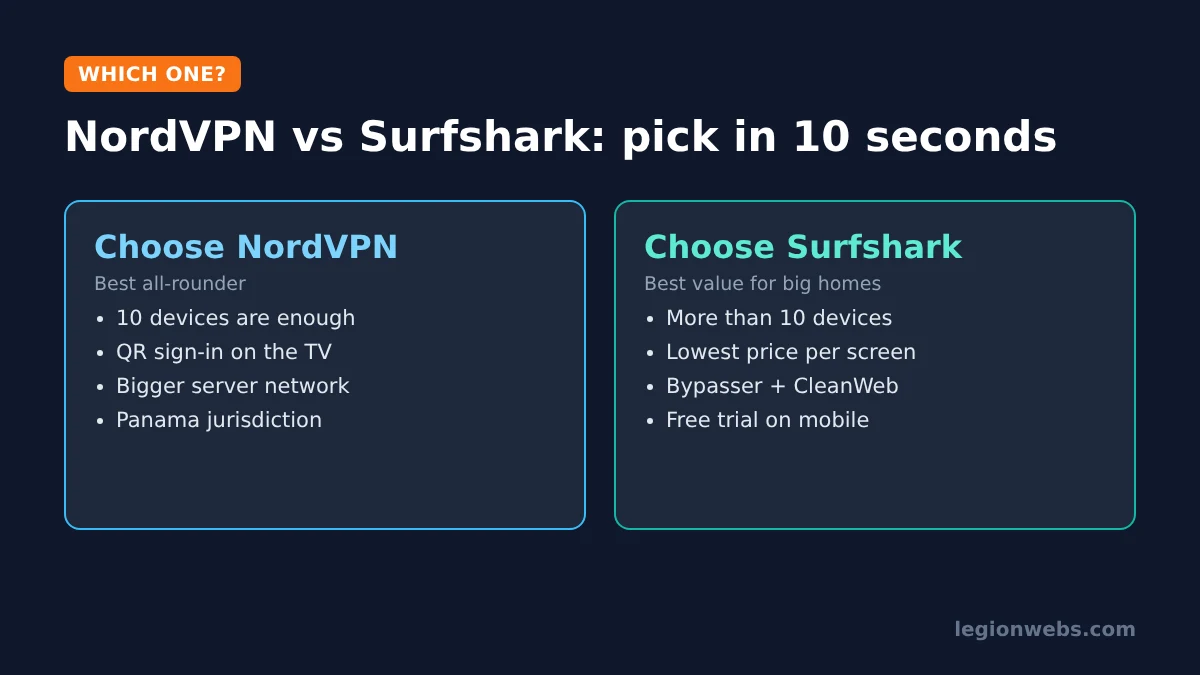
Choose NordVPN if you want the most complete TV apps, the bigger network, a Panama base and strong extras. It is our top pick in best VPN for Firestick. Get NordVPN here.
Choose Surfshark if you have more than 10 devices and want the lowest price per screen. Visit Surfshark’s official site for current plans.
Also weighing IPVanish, the other unlimited-device option? See NordVPN vs IPVanish.
NordVPN vs Surfshark: FAQ
Is NordVPN better than Surfshark?
For most people, yes: NordVPN has a larger network, a privacy-friendlier jurisdiction and very polished TV apps. Surfshark is the better value if you need more than 10 devices.
Are NordVPN and Surfshark the same company?
They have been part of the same group, Nord Security, since 2022, but they run separate apps, servers and subscriptions.
Which is faster for streaming?
Both use WireGuard-based protocols and handle 4K streaming on a good connection. Choosing a nearby server matters more than the brand.
Do both work on the Fire TV Stick 4K Select?
Yes. Both have apps for Vega OS as well as the older Fire OS sticks.
Can I use one account for both?
No. Even though they share a parent group, NordVPN and Surfshark are separate services with separate accounts and subscriptions.
Can I try them for free?
Both have a 30-day money-back guarantee. Surfshark also offers a 7-day free trial for eligible new customers through its mobile apps.
What’s next
- Best VPN for Firestick: five VPNs compared for Fire TV.
- NordVPN vs IPVanish: the other big comparison.
- VPN on smart TV: options for every TV brand.
- VPN for IPTV: when a VPN helps IPTV streams.
Free download
Firestick + IPTV Setup Checklist
Two printable pages: install, login, the settings that make it faster and quick fixes for buffering and an empty guide.
We'll send occasional new guides. No spam, unsubscribe any time. Privacy