
NordVPN vs IPVanish: Which VPN Is Better for Streaming?
This guide may contain affiliate links. If you buy through them we may earn a commission at no extra cost to you. As an Amazon Associate I earn from qualifying purchases. Learn more.
Lessons 8 of 9
Quick Overview: In the NordVPN vs IPVanish match-up, NordVPN wins on network size, extra features and privacy jurisdiction, while IPVanish wins on device limits, because one plan covers unlimited devices. Both have native Fire TV apps, Vega OS support, fast WireGuard-based protocols, audited no-logs policies and a 30-day money-back guarantee. Pick NordVPN for the most complete streaming app; pick IPVanish for a house full of screens.
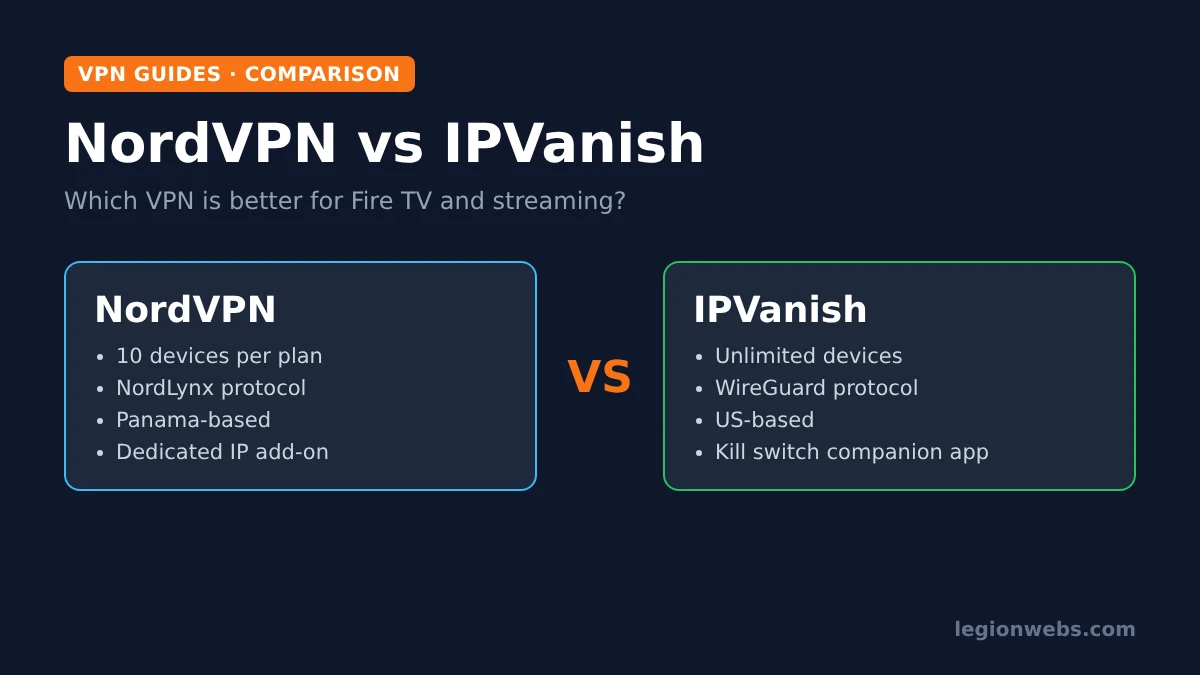
NordVPN and IPVanish are two of the few VPNs with a proper app for Fire TV, including the newer Vega OS sticks, so they often end up on the same shortlist. However, they are built for slightly different people. This lesson compares them on the things that matter when you mainly use a VPN on a TV: app support, devices per plan, speed protocols, privacy, streaming extras and the refund terms.
Instead of speed numbers that change every week, we use facts from each provider’s own pages and from recent independent reviews, and we name the source for each figure. Prices also change constantly, so check the current deal on each provider’s page before you buy.
Disclosure: Legion Webs is an affiliate of both NordVPN and IPVanish. If you sign up through our links, we may earn a commission at no extra cost to you. Because we earn from either choice, our only goal is to help you pick the right one.
NordVPN vs IPVanish at a glance
| Feature | NordVPN | IPVanish |
|---|---|---|
| Fire TV app (Fire OS) | Yes, in the Amazon Appstore | Yes, in the Amazon Appstore |
| Vega OS app (Fire TV Stick 4K Select) | Yes | Yes |
| Devices per plan | 10 | Unlimited |
| Fastest protocol | NordLynx (built on WireGuard) | WireGuard |
| Network size | 7,100+ servers (NordVPN’s figure) | 3,200+ servers (Tom’s Guide’s figure) |
| Headquarters | Panama | United States |
| No-logs audits | Yes, several independent audits since 2018 | Yes, in 2022 and 2025 |
| Kill switch | Yes on computers and phones; not on Fire TV Stick (per NordVPN support) | Yes, including Fire TV via a free companion app |
| Split tunneling | Yes | Yes |
| Ad and tracker blocking | Threat Protection | Threat Protection |
| Money-back guarantee | 30 days | 30 days on 1- and 2-year plans only |
Fire TV and Vega OS apps
For a Firestick user, this is the round that matters most, and it is close. Both apps install straight from the Amazon Appstore, so you never need Downloader or unknown sources. Both also had Vega OS apps ready early, which is important because the Fire TV Stick 4K Select and other new models only run VPNs built for Vega OS. For background, see Vega OS Fire TV explained.
The differences are in the details. NordVPN lets you sign in by scanning a QR code with your phone, so you barely touch the on-screen keyboard. In addition, its Fire OS app keeps the key TV settings in one place: protocol choice, auto-connect, split tunneling and Threat Protection. IPVanish, in contrast, asks for your email and password with the remote, and its Fire OS kill switch lives in a separate companion app. Both setups take about 10 minutes, and we cover them step by step in NordVPN on Firestick and IPVanish on Firestick.
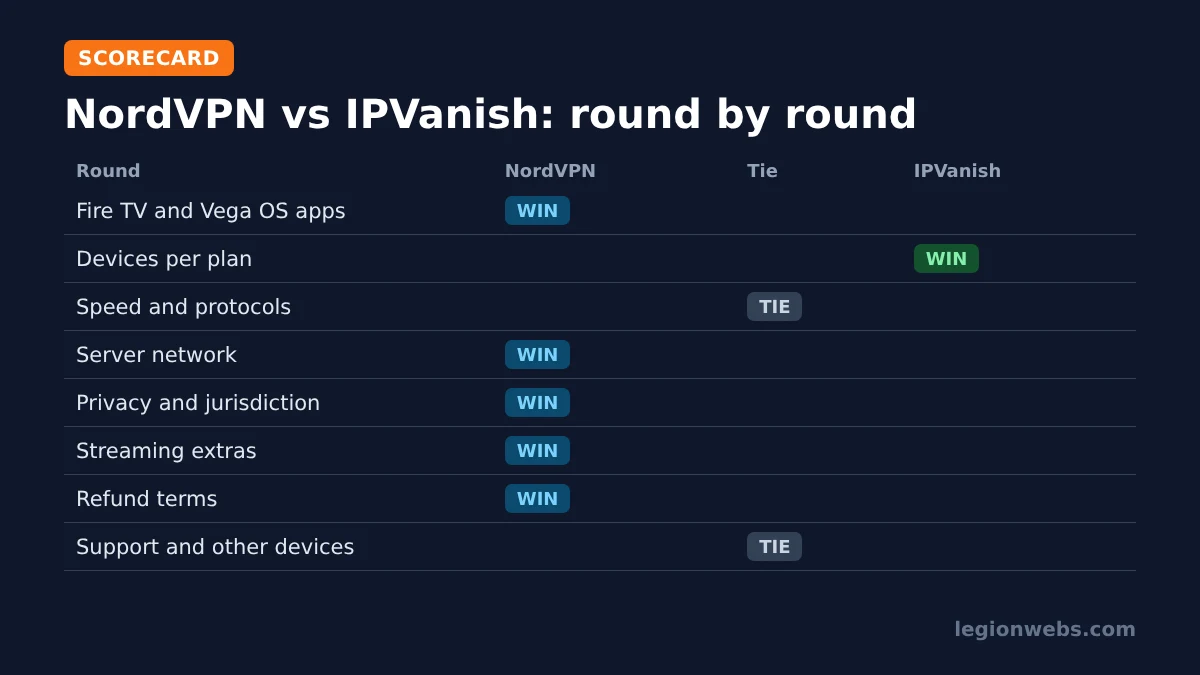
Round winner: NordVPN, by a small margin, for the easier sign-in and the all-in-one app.
Devices per plan
Here the NordVPN vs IPVanish result is clear. NordVPN covers 10 devices at the same time on one subscription, which is plenty for most couples and small families. IPVanish, on the other hand, sets no device limit at all, although its terms allow it to limit use to keep the service running for everyone.
So count your screens. If you have, for example, three Fire Sticks, two laptops, five phones and a couple of tablets, you are already past 10. In that case, IPVanish saves you from juggling which devices stay connected.
Round winner: IPVanish.
Speed and protocols
Both providers use WireGuard technology for their fastest connections. NordVPN calls its version NordLynx, while IPVanish simply offers WireGuard. On a Fire Stick, either one is light enough to stream 4K on a good connection. As a result, the server you choose usually affects speed far more than the brand does: a nearby server on either service beats a distant one on the other.
Beyond WireGuard, both apps include OpenVPN and IKEv2 as fallbacks. NordVPN also has its own NordWhisper protocol for networks that block VPNs, whereas IPVanish offers a Scramble option for OpenVPN. In practice, you only need these on strict hotel, school or office WiFi.
Round winner: tie. Both are fast enough for TV streaming; test them yourself during the refund window.
Server network
NordVPN runs the larger network. It lists more than 7,100 servers, while Tom’s Guide’s IPVanish review puts IPVanish at over 3,200 servers, some of them virtual locations that the app labels clearly. More servers mainly helps in two ways: busy evening hours feel less crowded, and you have more city choices close to home.
That said, both cover all the major streaming countries. Therefore, unless you need an unusual location, network size will rarely decide this for you.
Round winner: NordVPN.
Privacy and security
Both providers keep a no-logs policy that independent auditors have checked. NordVPN has gone through several audits since its first one in 2018. IPVanish, meanwhile, was audited by Leviathan Security Group in 2022 and by Schellman in 2025.
The bigger difference is location. NordVPN is based in Panama, which has no mandatory data retention laws. IPVanish is based in the United States, a member of the Five Eyes intelligence alliance. For everyday streaming privacy this matters little, since neither keeps activity logs. Still, if jurisdiction is important to you, NordVPN has the edge.
Round winner: NordVPN.
Streaming extras
- Split tunneling: both have it, so you can keep an app that refuses VPNs on your normal connection while everything else stays protected.
- Ad and tracker blocking: both call it Threat Protection. On a TV, it mainly cuts ads and trackers in browsers and apps.
- Kill switch: both offer one on computers and phones. On a Fire TV Stick, however, only IPVanish has one, through its free companion app; NordVPN says its kill switch is not available on Fire TV Stick.
- Dedicated IP: NordVPN sells one as an add-on. This helps if an IPTV provider locks your account to a single IP address.
- Bundles: NordVPN offers bundles with a password manager and other tools; IPVanish’s Advanced plan adds cloud storage and other extras.
Round winner: NordVPN, mainly because of the dedicated IP option and the password manager bundles.
Price and money-back guarantee
Both are cheapest on long plans, and both run frequent deals, so the gap between them changes month to month. Check the current price on NordVPN’s deal page and IPVanish’s deal page before you decide.
The refund terms differ, though. NordVPN offers a 30-day money-back guarantee. IPVanish also gives 30 days, but only on one- and two-year plans; monthly plans are not refundable. Consequently, if you want to test IPVanish risk-free, choose a yearly plan and cancel within 30 days if it does not suit you.
Round winner: NordVPN, for the simpler refund terms.
Customer support
Both providers offer support around the clock, plus a large library of setup guides on their help sites. Consequently, if the Fire TV app will not connect at 2 a.m., you can still reach someone. For most Fire Stick problems, though, the quick fixes in our VPN not working on Firestick lesson solve it faster than a support chat: switch protocol, change server or restart the stick.
Round winner: tie.
Apps for the rest of your devices
Most people do not only use a VPN on the TV. Fortunately, both providers have apps for Windows, macOS, iPhone and iPad, Android phones, Android TV and Google TV boxes, and Apple TV. As a result, one account covers your whole setup, whichever you pick.
| Device | NordVPN | IPVanish |
|---|---|---|
| Fire TV (Fire OS and Vega OS) | Yes | Yes |
| Android TV and Google TV | Yes | Yes |
| Apple TV | Yes | Yes |
| Windows and macOS | Yes | Yes |
| iPhone, iPad and Android phones | Yes | Yes |
| Samsung and LG smart TVs | No native app; use a router or Smart DNS | No native app; use a router |
For Samsung and LG TVs, neither service has a native app, because those TVs do not allow VPN apps. In that case, the usual workaround is to set the VPN up on your router so that every device behind it is covered. We will cover those routes in a separate lesson on using a VPN on a smart TV.
Round winner: tie.
NordVPN vs IPVanish for IPTV
Both work well with IPTV players such as TiviMate and IPTV Smarters Pro. Connect the VPN first, then open the player. If your provider blocks VPN servers or locks you to one IP address, you have two options: put the player in split tunneling (both apps), or use a dedicated IP so the address never changes (NordVPN only). Read VPN for IPTV for the full picture.
Note: a VPN protects your privacy; it does not make an unlicensed service legal. Only use IPTV services that hold the rights to the channels they offer.
NordVPN vs IPVanish: which should you choose?
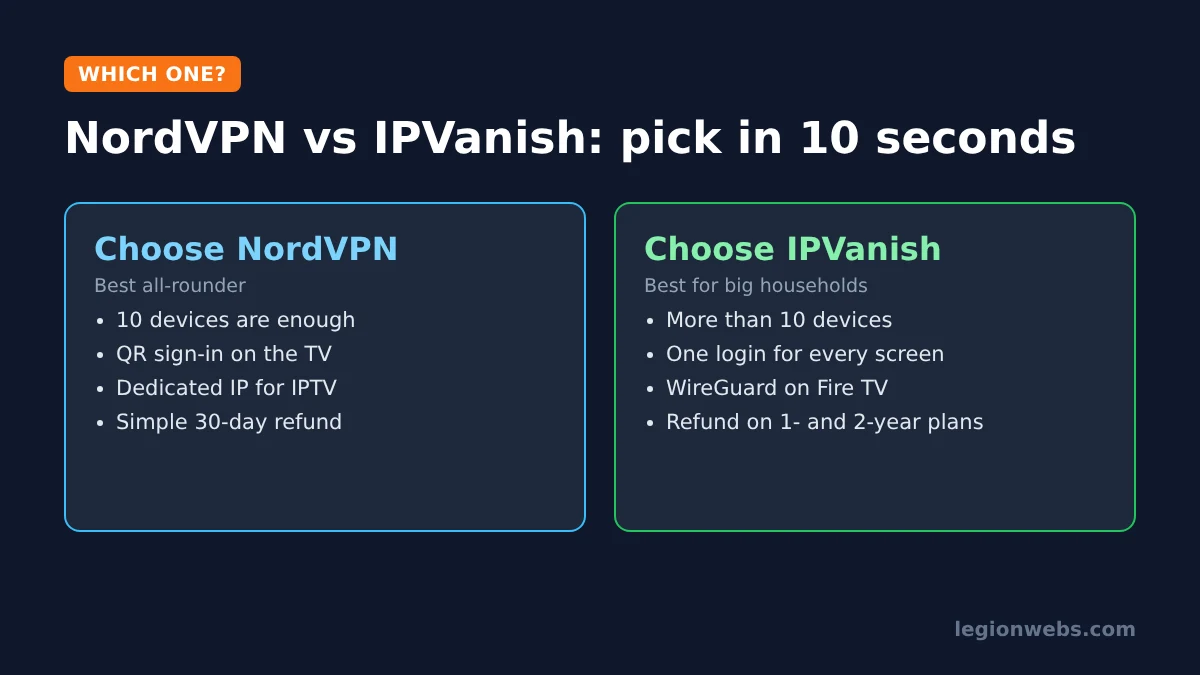
Choose NordVPN if you want the most complete Fire TV app, a quick QR sign-in, the option of a dedicated IP for IPTV, a Panama base and simple refund terms. Overall, it wins more rounds, and it is our top pick in best VPN for Firestick. Get NordVPN here.
Choose IPVanish if your household has more than 10 devices, you want one login for every TV, phone and laptop, and you are happy to add the free kill switch app on Fire OS. For big families, this is the better value. Get IPVanish here.
Either way, both offer a 30-day refund window on long plans. So, if you cannot decide, try one on your Fire Stick for a week, run a speed test on your nearest server, and keep it only if it streams smoothly.
NordVPN vs IPVanish: FAQ
Is NordVPN better than IPVanish?
For most people, yes: NordVPN has a larger network, more extras and a privacy-friendlier jurisdiction. However, IPVanish is the better choice if you need more than 10 devices on one plan.
Which is faster, NordVPN or IPVanish?
Both use WireGuard-based protocols and are fast enough for 4K streaming on a good connection. Your distance to the server usually matters more than the brand.
Do both work on the Fire TV Stick 4K Select?
Yes. Both have Vega OS apps in the Amazon Appstore. Some settings may differ from the Fire OS versions.
Can I use one account on all my Fire Sticks?
Yes. NordVPN allows up to 10 devices at once, while IPVanish has no fixed device limit.
Which has the better refund policy?
NordVPN, because its 30-day guarantee is simpler. IPVanish refunds only one- and two-year plans within 30 days, not monthly plans.
What’s next
- Best VPN for Firestick: see how both compare with Surfshark, ExpressVPN and Proton VPN.
- NordVPN on Firestick: setup and best settings.
- IPVanish on Firestick: setup, kill switch and best settings.
- VPN not working on Firestick: fixes for either app.
Free download
Firestick + IPTV Setup Checklist
Two printable pages: install, login, the settings that make it faster and quick fixes for buffering and an empty guide.
We'll send occasional new guides. No spam, unsubscribe any time. Privacy