
Fire Stick Remote Not Working? 6 Fixes That Work
This guide may contain affiliate links. If you buy through them we may earn a commission at no extra cost to you. As an Amazon Associate I earn from qualifying purchases. Learn more.
Lessons 4 of 5
Quick Overview: If your Fire Stick remote is not working, start with fresh batteries, then re-pair it by holding Home for 10 seconds. If that fails, reset the remote with Left + Menu + Back for 12 seconds. This lesson walks through every fix in order, plus how to control your Fire TV with your phone while you sort it out.
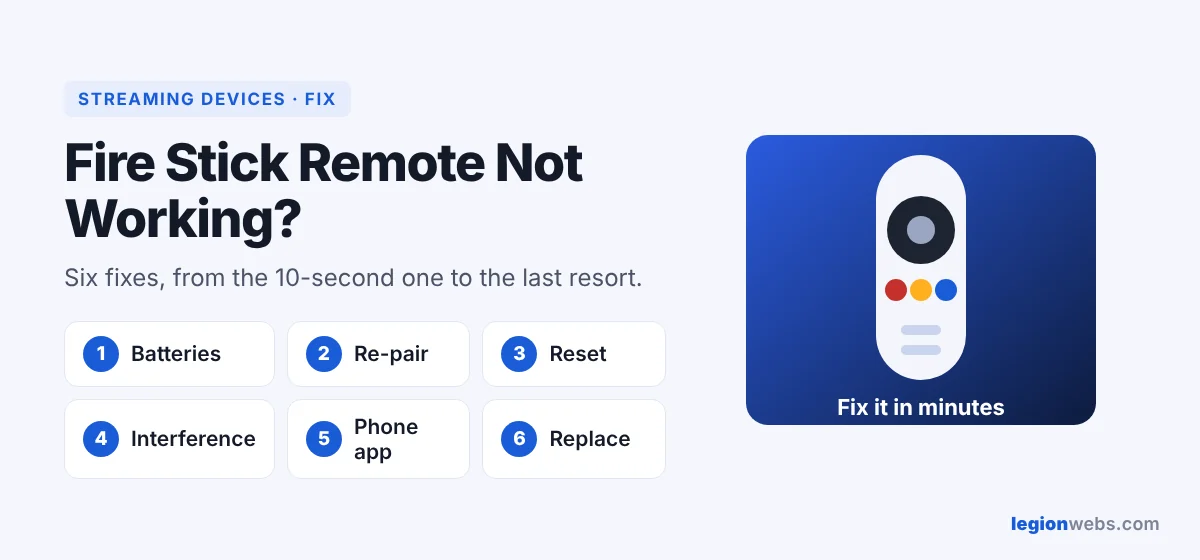
A Fire TV remote usually stops working for one of four reasons: weak batteries, a lost connection (pairing), something blocking the signal, or a stuck remote that needs a reset. Fortunately, each fix takes under two minutes. Work through them from top to bottom and stop when the remote responds.
Fix 1: Replace the batteries
Weak batteries are the most common cause, even if the remote still lights up. Put in two new AAA batteries and make sure they face the right way. Avoid rechargeable batteries that are half charged; they often deliver too little power.
Fix 2: Re-pair a Fire Stick remote that is not working
- First, make sure the TV is on and showing the Fire TV input.
- Then stand within about 3 meters (10 feet) of the Fire TV.
- Press and hold Home for 10 seconds.
- Wait for the light to blink and a message on screen confirming the pairing.
Fix 3: Reset the Fire Stick remote if it is still not working
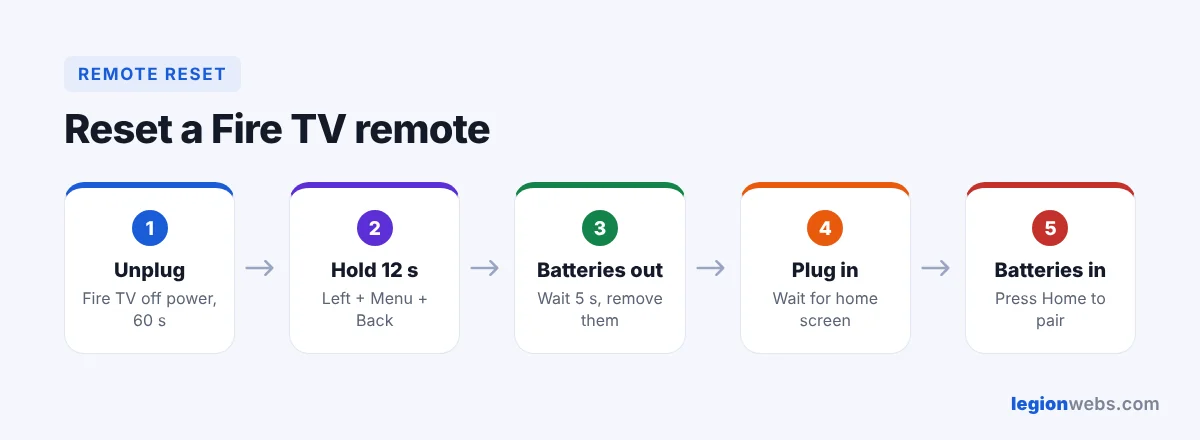
These steps follow Amazon’s remote reset instructions:
- Unplug the Fire TV from power and wait about a minute.
- On the remote, press and hold Left (on the ring), Menu (three lines) and Back together for 12 seconds.
- Release, wait 5 seconds, then take out the batteries.
- Plug the Fire TV back in and wait about a minute until the home screen appears.
- Put the batteries back and press Home. The remote should pair automatically.
Fix 4: Remove interference and obstacles
- Use the HDMI extender that came with your Fire TV, so the stick is not hidden behind the TV.
- Move other wireless devices, such as speakers and routers, a little away from the stick.
- Also, take the stick out of cabinets or metal TV stands.
Fix 5: Use your phone as a remote
While you fix the remote, install the free Fire TV app on your Android phone or iPhone. Connect the phone to the same Wi-Fi as the Fire TV, open the app, select your device and enter the code shown on the TV. As a result, you get a full remote, including a keyboard for typing.
Fix 6: Replace the remote
If nothing works, the remote may be damaged, for example after a drop or a spill. In that case, a replacement Alexa Voice Remote pairs in seconds with the Home button method above. Check that the replacement lists your Fire TV model as compatible before you buy it on Amazon.
Fire Stick remote not working: quick symptom guide
| Symptom | Most likely fix |
|---|---|
| No light at all when pressing buttons | New batteries (Fix 1) |
| Light blinks but nothing happens on TV | Re-pair (Fix 2), then reset (Fix 3) |
| Volume and power buttons do not work, but navigation does | Set up TV control in Settings → Equipment Control |
| Remote works only up close | Remove obstacles and use the HDMI extender (Fix 4) |
| Voice search does not respond | Re-pair the remote and check the microphone is not covered |
Frequently Asked Questions
Why is my Fire Stick remote not working after new batteries?
Usually the remote lost its pairing. Hold Home for 10 seconds; if that fails, do the full reset in Fix 3.
Can I use a Fire TV without a remote?
Yes, with the Fire TV phone app, as long as the Fire TV is already connected to your Wi-Fi.
Does a factory reset fix a Fire Stick remote not working?
Rarely, and it erases your apps. Try every fix above first. If you still need it, see How to Factory Reset a Fire Stick.
What’s next
Your remote works again. Next, speed up your stick with How to Clear Cache on Firestick, or check which system you have in Vega OS Fire TV explained.